
 English
 Português
 Deutsch
 Eesti
Eesti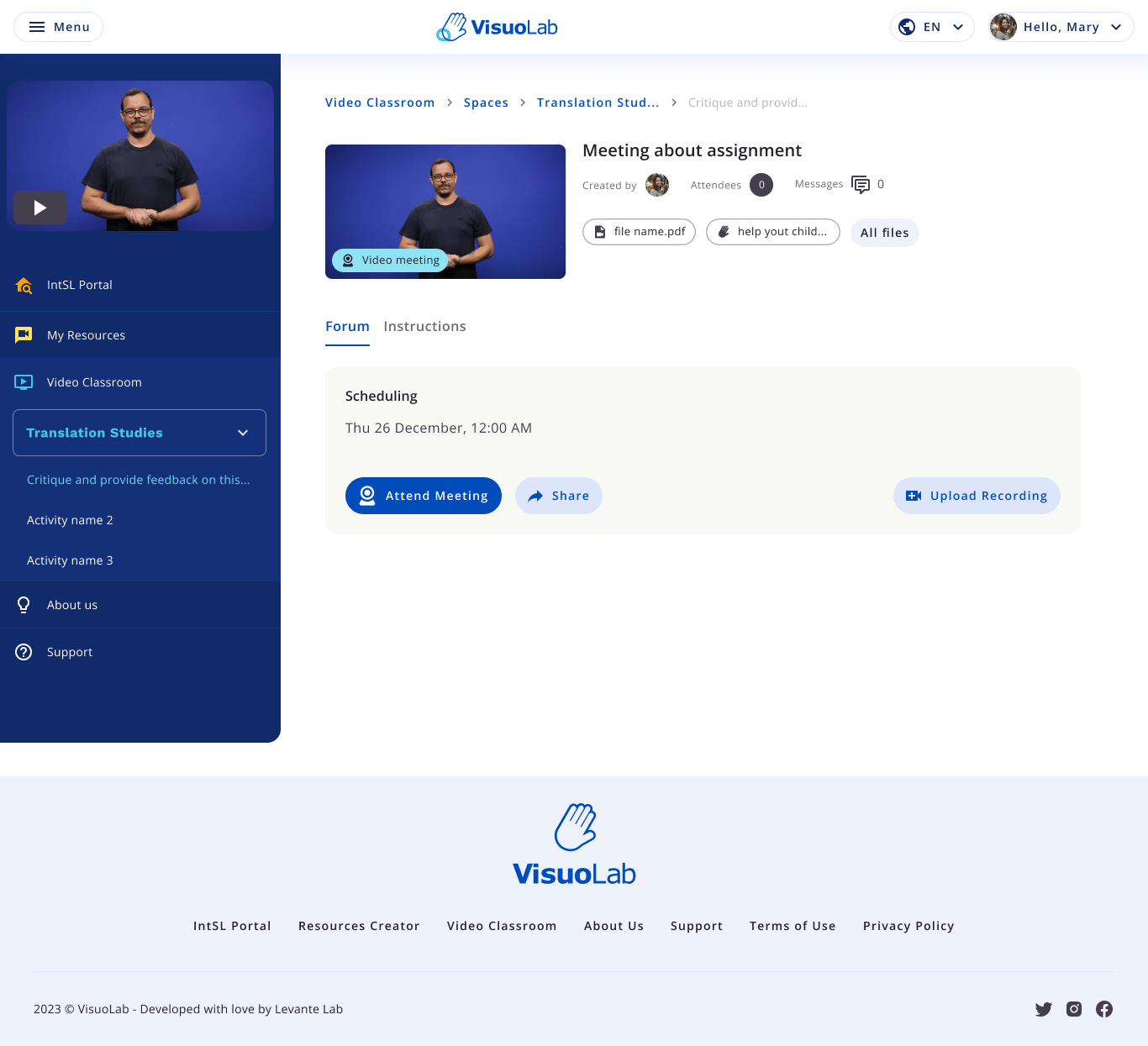
On the activity page, check Scheduling and select Attend Meeting to join.
Check the instructions and schedule
Open the activity in the Space and check Instructions. Review the task, supporting materials, and the date and time under Scheduling. Before the meeting, check your connection, camera and microphone. For sign language communication, arrange lighting and framing so your face and hands are visible.Join the meeting
At the scheduled time, select Attend Meeting. Allow camera and microphone access when requested and check your devices.Take part in the meeting
Follow the Supervisor’s instructions and coordinate your contributions with the group. Use the available controls to manage your participation.
Live meeting example with participants and controls below.
Adjust the view
Use the available layout options to arrange videos for the meeting. In sign language communication, try to keep the people who are signing visible.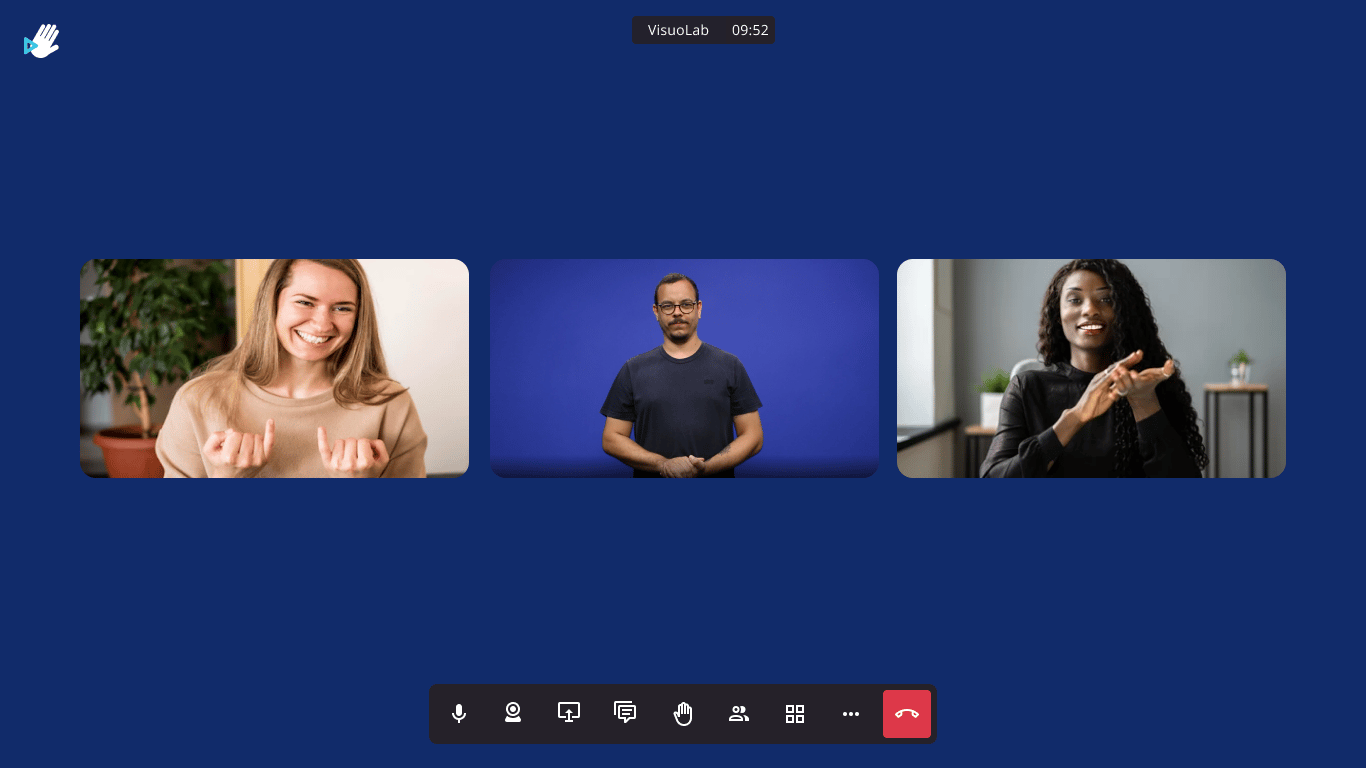
Another participant video layout, with call controls below.
Explore other activity options
The initial page may also offer sharing and recording upload actions.
Upload Recording lets you upload a recording; its presence does not mean the call is automatically recorded.
End your participation
When finished, use the red leave call button. Then check the activity for materials, comments or instructions provided by the Supervisor.The images show English interface examples. Controls, options and permissions may vary with the installation and activity settings.
Keep exploring
Explore freeform activities
Return to the overview of freeform activity types.
View results and feedback
Learn how to follow the available feedback.