
 English
 Português
 Deutsch
 Eesti
EestiSign in
If you already have an account, enter your Email and Password and click Login. To create an account, use SignUp. Forgot password? is available on the same screen.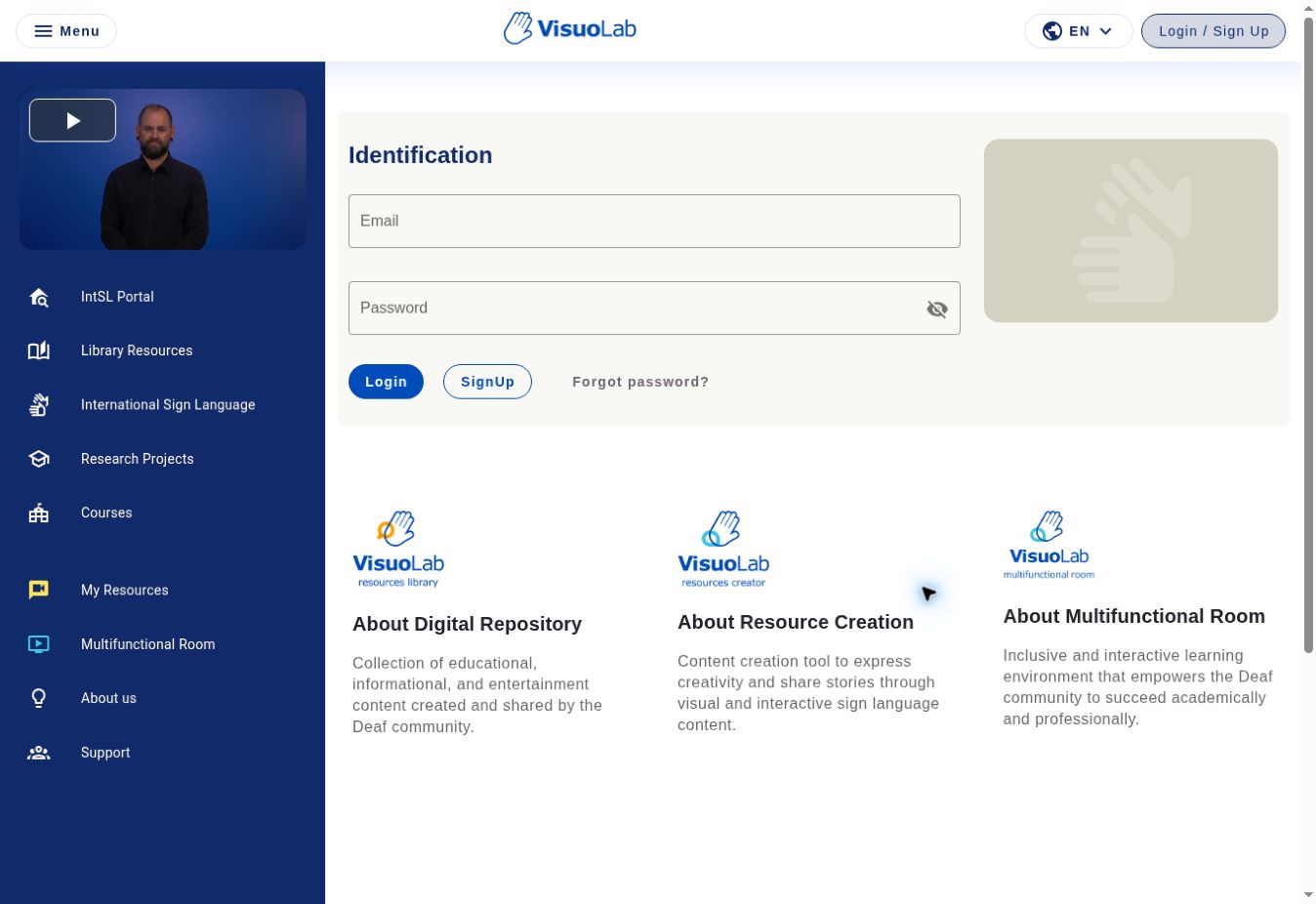
Login screen of the reference installation, captured in English.
Choose the platform language
At the top right, click the language selector, identified by a globe and the current language code, such as EN.Choose one of the languages enabled by your institution to view the interface in that language.
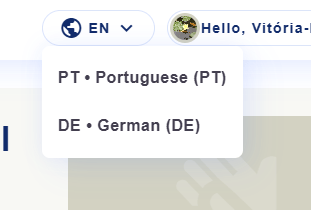
Example of the open language selector in the reference installation.
Available options vary between VisuoLab installations. Changing the interface language does not change the sign language of videos or materials.
Create your account
Open the installation address provided by your institution.1
Open registration
Click Login / Sign Up and open registration. Enter your first and last names, email and email confirmation, password and password confirmation. Social name and institutional affiliation are optional fields.
2
Choose your language
Use the selector at the top right, as described in Choose the platform language.
3
Describe your language background
Answer What is your language background? Choose the option that best describes your relationship with sign languages:L1 means first language. L2 means second or additional language.
Deaf L1 signer
Deaf L1 signer
A Deaf person who acquired a sign language as a first language from childhood.
Deaf L2 signer
Deaf L2 signer
A Deaf person who learned a sign language as a second or additional language after beginning their language journey in another language.
Hearing L2 signer
Hearing L2 signer
A hearing person who learned a sign language as a second or additional language.
Heritage signer
Heritage signer
A person exposed to a sign language in their family from childhood, for example through Deaf relatives. Their use and proficiency may vary.
Non-signer
Non-signer
A person who does not yet use a sign language to communicate.
Other
Other
A person whose language background is not represented by the other options.
Choose the option that best represents your language journey. Some experiences may overlap categories. These options describe your relationship with sign languages; they do not assess knowledge or fluency.
4
Read the terms
Read the Terms of use and Privacy Policy. Set your cookie preferences and record your acceptance of the terms as requested by the form.
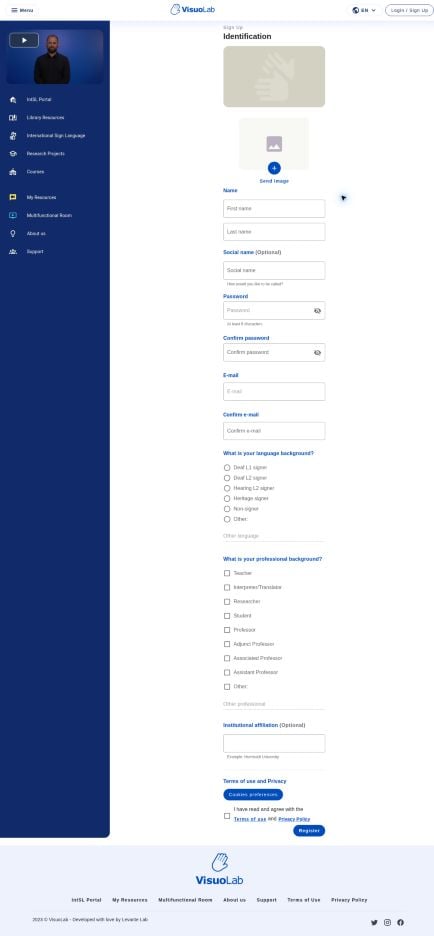
Registration form: identification, language background, professional background, affiliation and terms. Captured in English.
Screenshots use the English reference installation. Field names and available options may vary with your institution’s language and configuration.
View your account
In Account, you can view and edit your user profile information. Specific instructions for changing your password or email are covered in the platform’s help articles.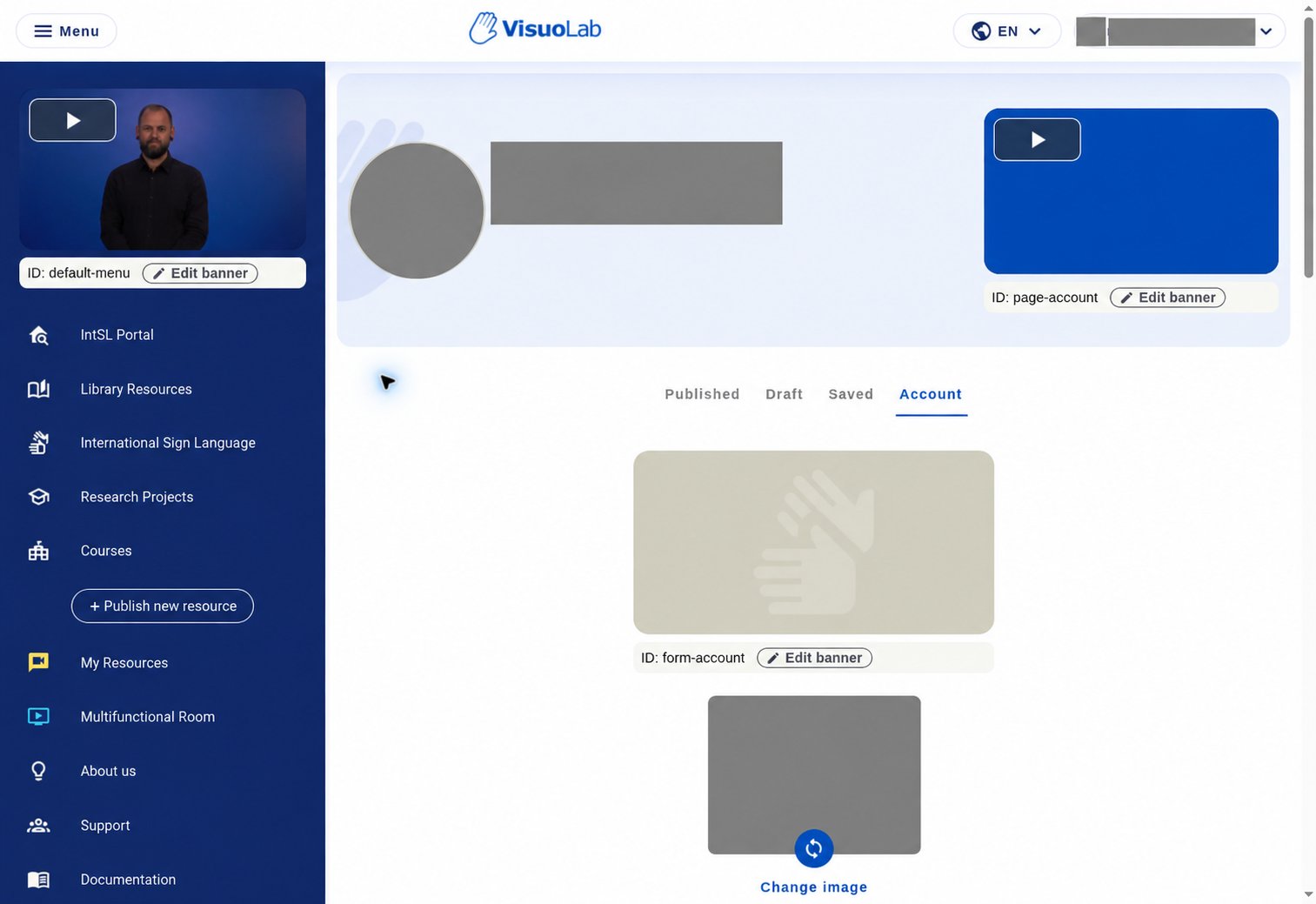
Account page in English, with profile information and images hidden in the edited screenshot.
This screenshot uses an administrator profile. Edit banner controls belong to that profile and may not appear for General Users or Participants.
Explore the sidebar
Use the sidebar to access the main areas: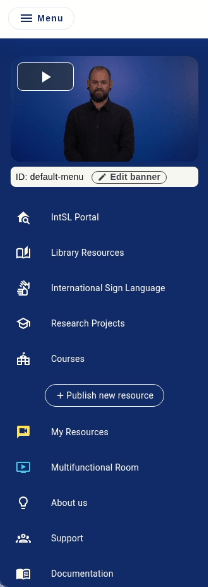
Sidebar in English. Edit banner is visible because this screenshot uses an administrator profile.
Access to Multifunctional Room activities depends on your invitation to a Space and your permissions.
Keep exploring
Portal and resources
Explore the platform’s resource library.
Multifunctional Room
Discover Spaces and activities for participants.