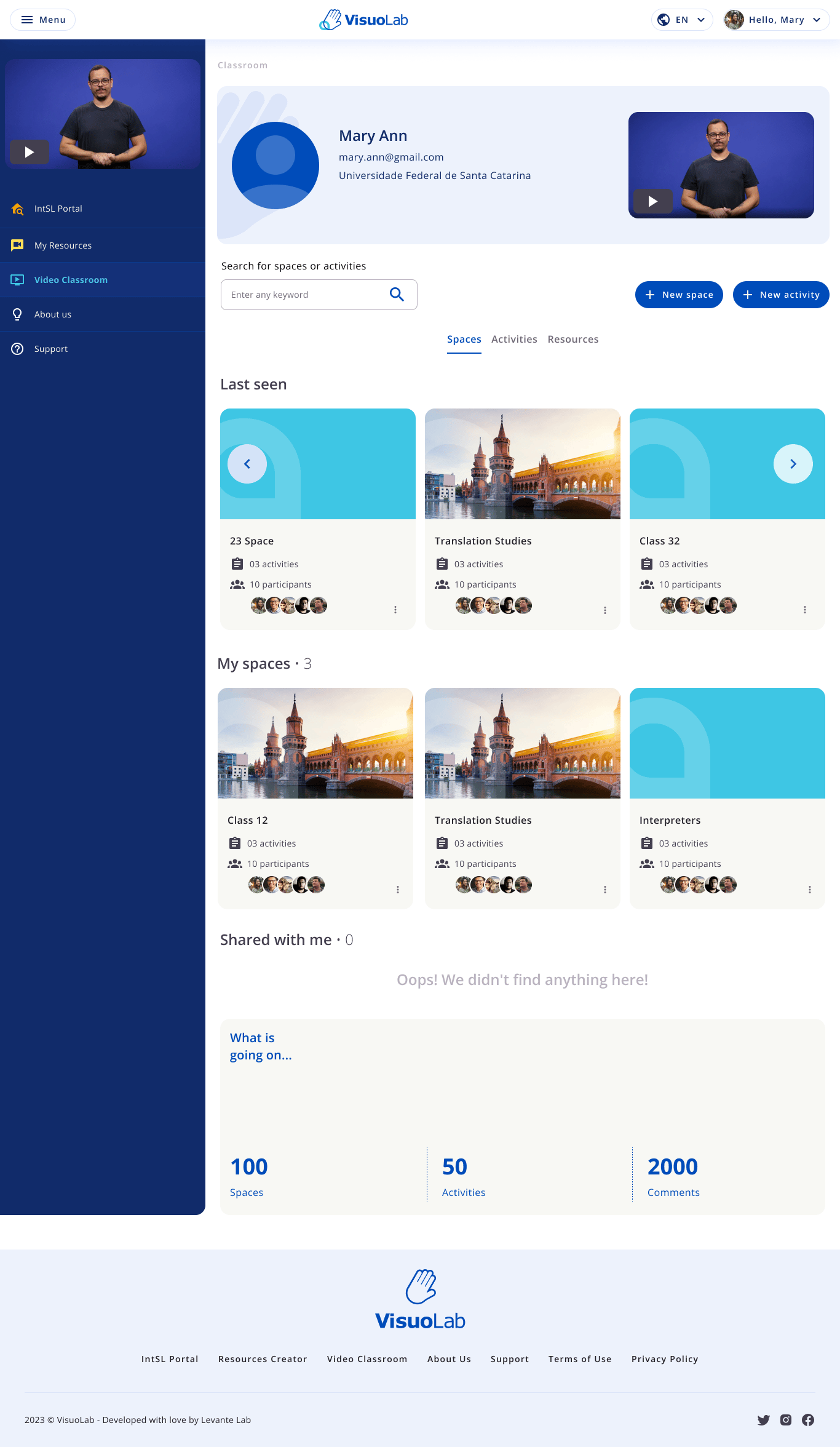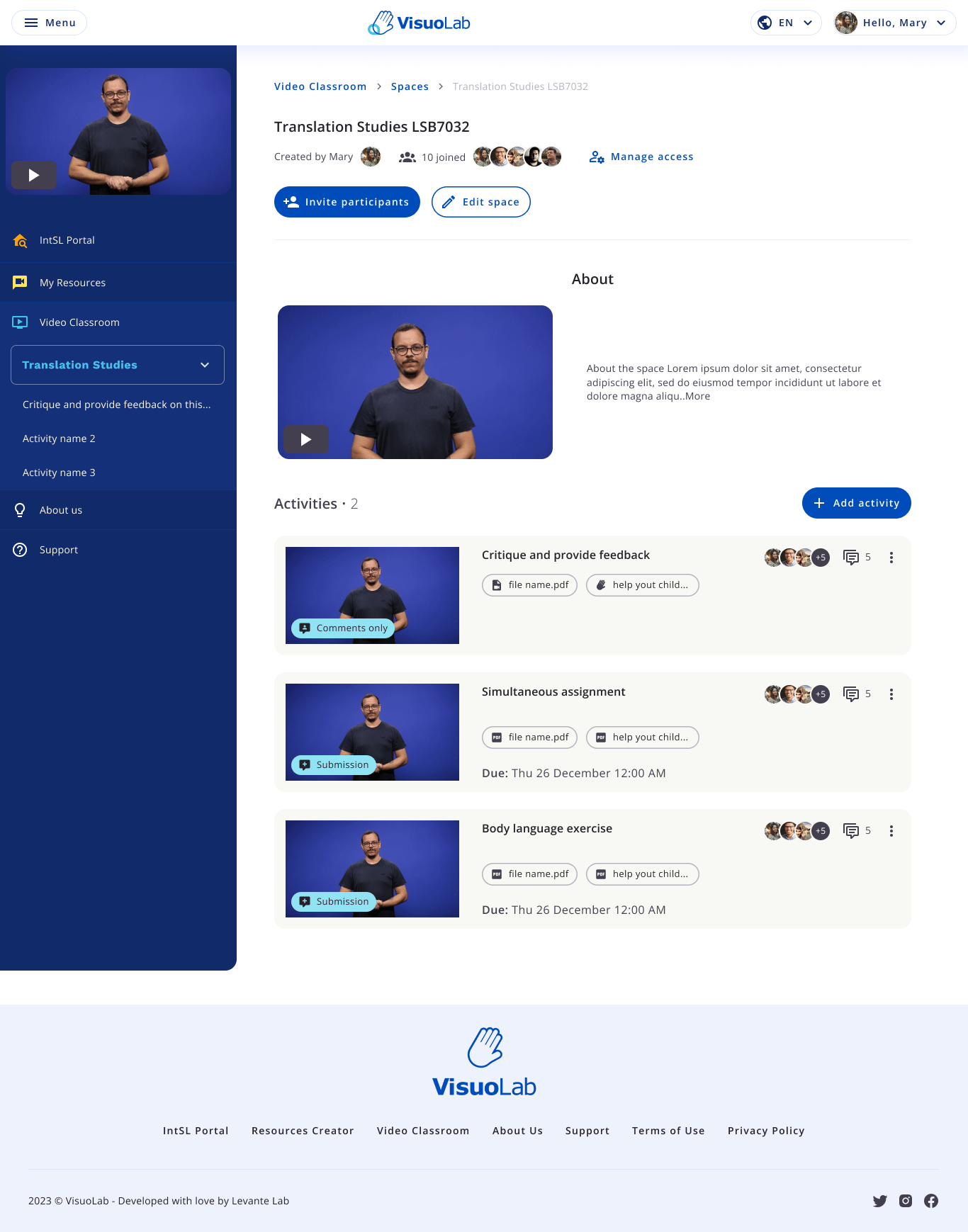


Teaching and learning with VisuoLab List of available Spaces. Access to the Multifunctional Room depends on your permissions. To take part in activities, you need an invitation to a Space.

Find your space

1

Open the Multifunctional Room

Use the platform sidebar to open the Multifunctional Room.
2

Find the invitation
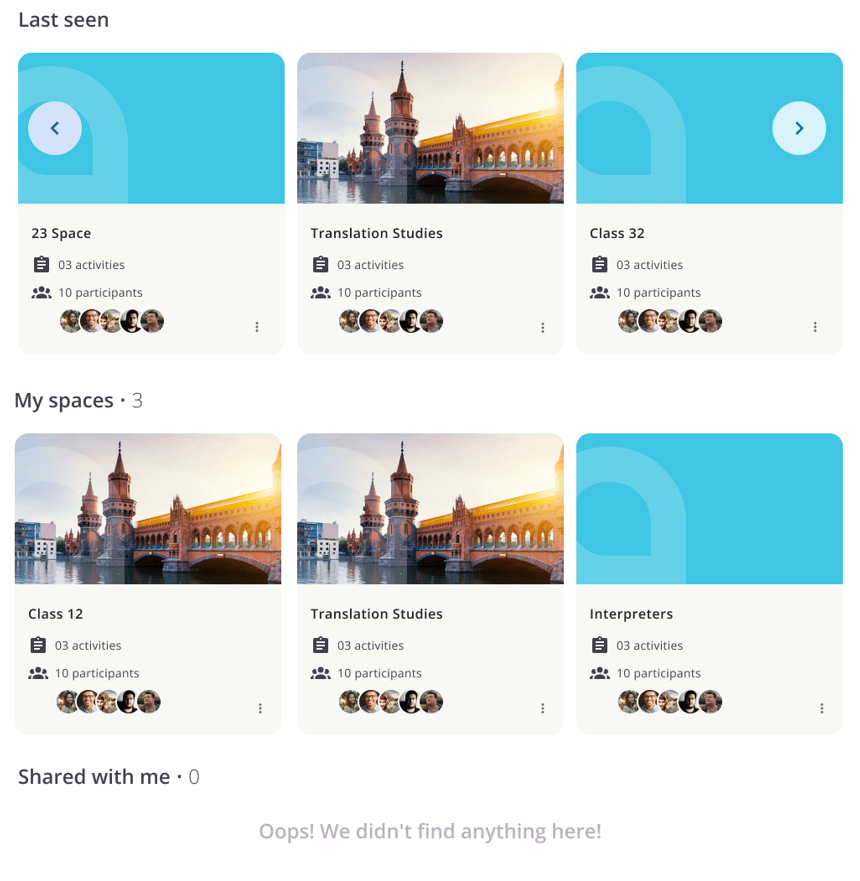
Invitation and shared spaces.Look under My spaces or Shared with me for the space you were invited to.
3

Open the space

Space introduction and activities.Read the introduction and locate the activities. The English interface uses Freeform activities and Assessment activities.

Understand your role in the space

An invitation provides access to that space. Editor requires additional permission and is different from Supervisor.

Open the activities
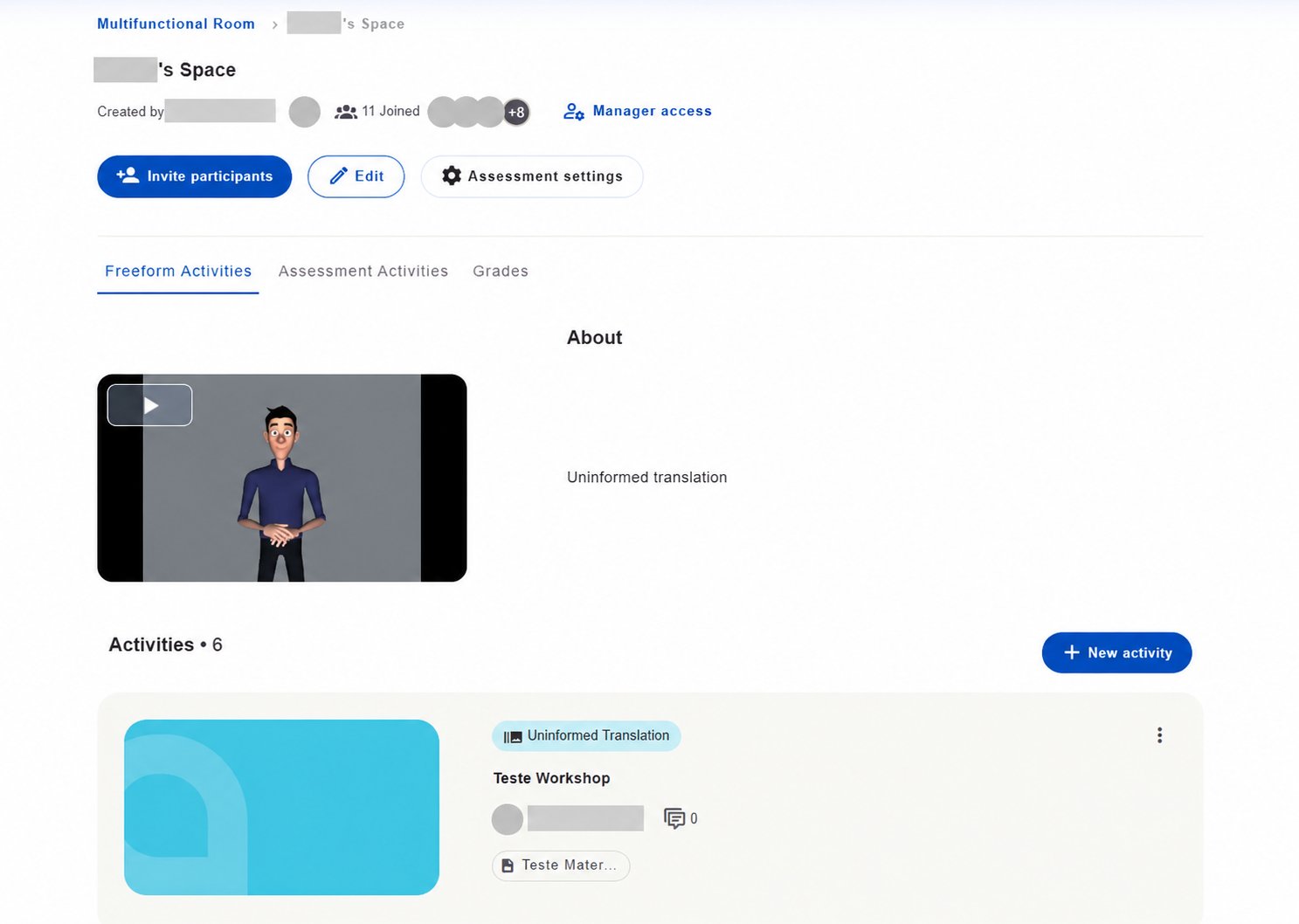
Open the activities

Open the activities

Read each activity’s instructions before starting. Its type and settings determine how you participate, submit a response and view results.

Back to the Multifunctional Room

Choose an activity

Freeform activities

Assessment activities