> ## Documentation Index
> Fetch the complete documentation index at: https://docs-visuolab.levantelab.com.br/llms.txt
> Use this file to discover all available pages before exploring further.
# Access your spaces

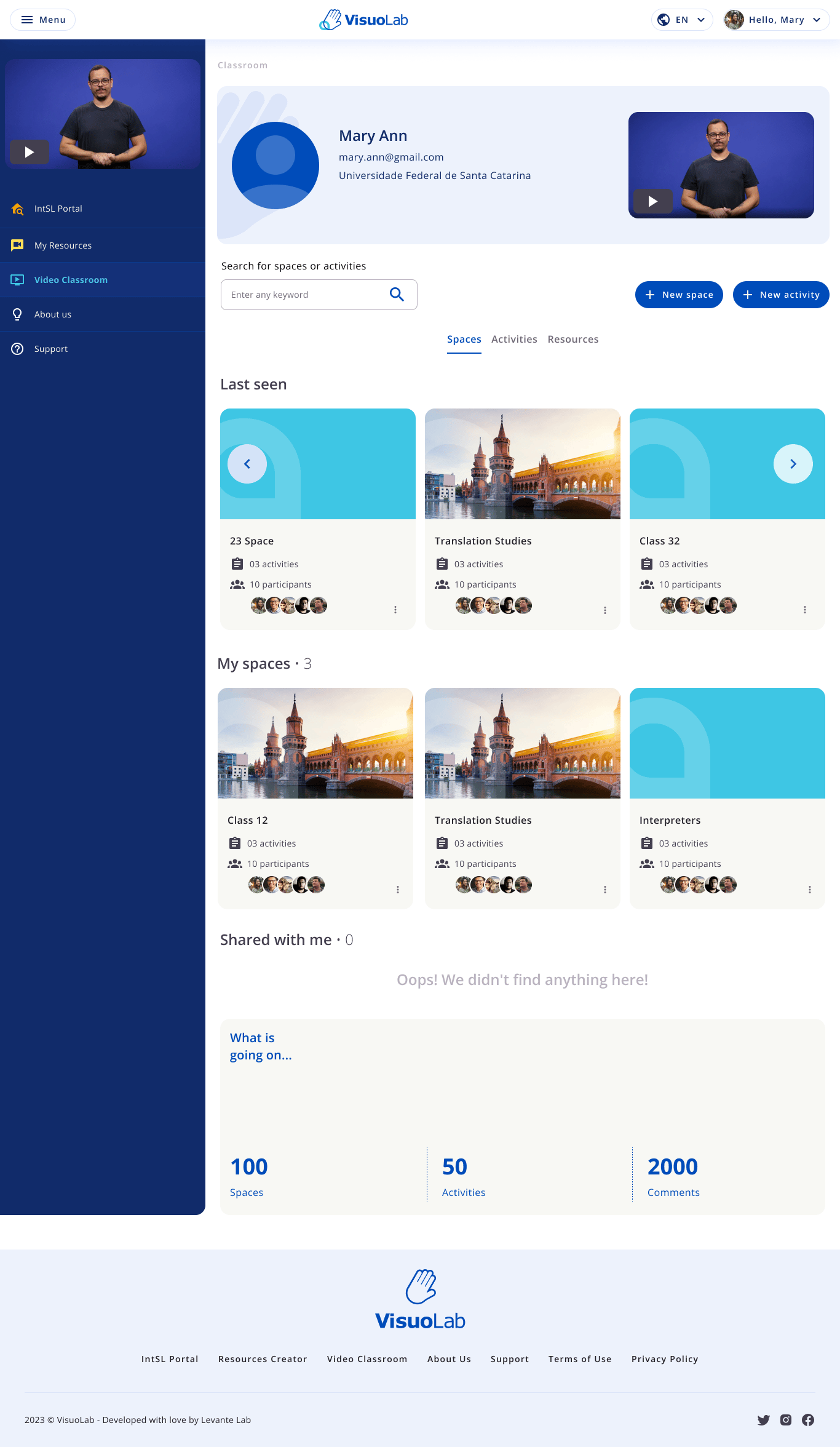 Access to the Multifunctional Room depends on your permissions. To take part in activities, you need an invitation to a **Space**.
## Find your space
Use the platform sidebar to open the Multifunctional Room.
Access to the Multifunctional Room depends on your permissions. To take part in activities, you need an invitation to a **Space**.
## Find your space
Use the platform sidebar to open the Multifunctional Room.
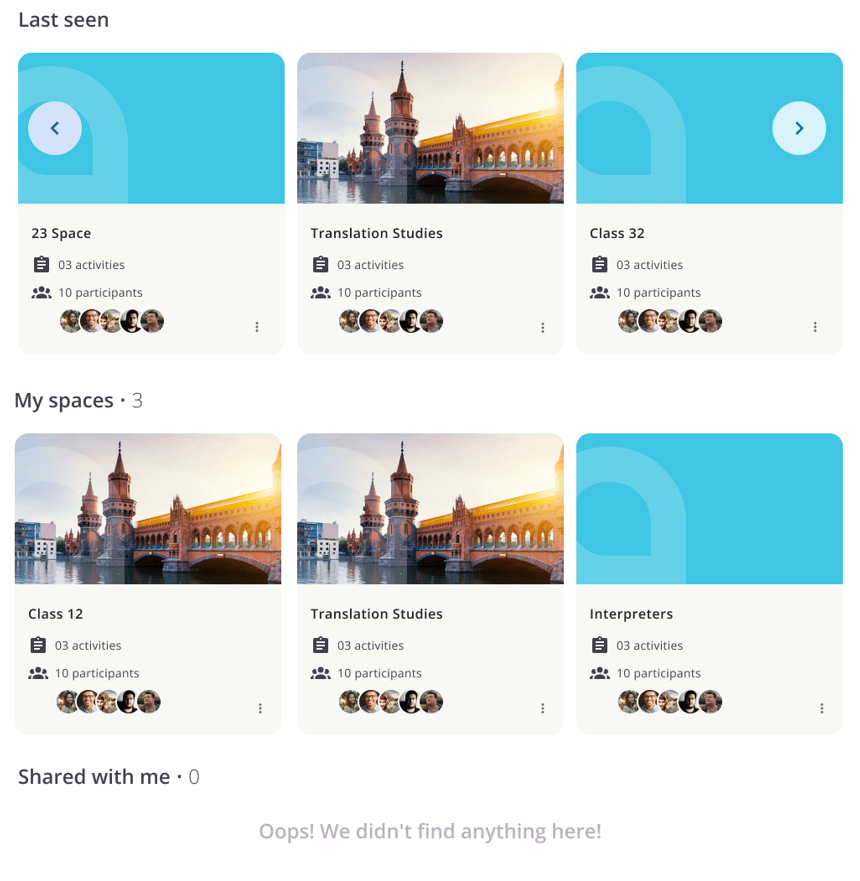 Look under **My spaces** or **Shared with me** for the space you were invited to.
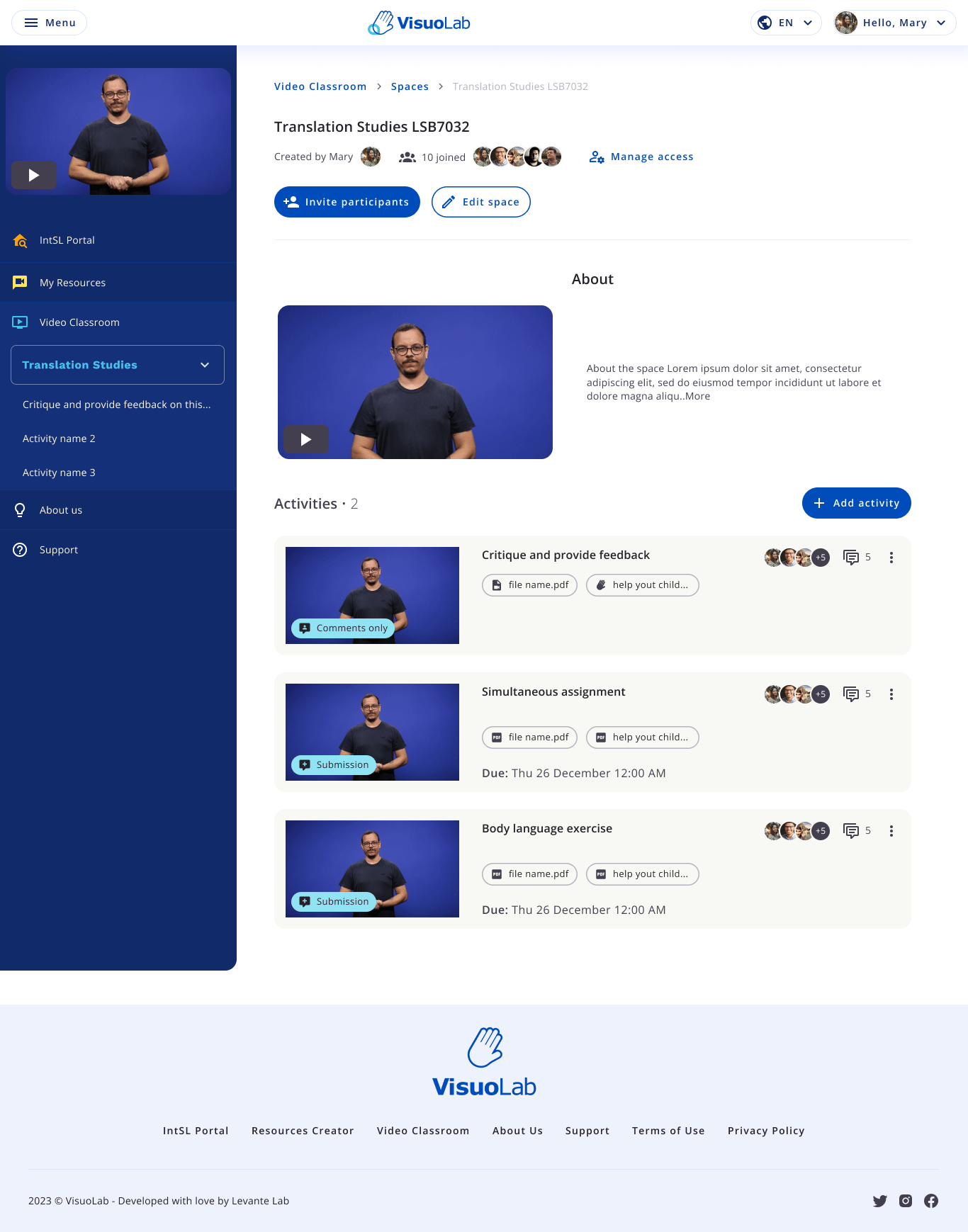 Read the introduction and locate the activities. The English interface uses **Freeform activities** and **Assessment activities**.
## Understand your role in the space
| Role | Guidance |
| - | - |
| **Participant** | Completes activities published by the Supervisor and follows feedback. |
| **Supervisor** | Organizes and assesses activities in the spaces they are responsible for. |
| **Editor** | A participant authorized to edit certain content in that space. |
An invitation provides access to that space. Editor requires additional permission and is different from Supervisor.
## Open the activities
Read the introduction and locate the activities. The English interface uses **Freeform activities** and **Assessment activities**.
## Understand your role in the space
| Role | Guidance |
| - | - |
| **Participant** | Completes activities published by the Supervisor and follows feedback. |
| **Supervisor** | Organizes and assesses activities in the spaces they are responsible for. |
| **Editor** | A participant authorized to edit certain content in that space. |
An invitation provides access to that space. Editor requires additional permission and is different from Supervisor.
## Open the activities
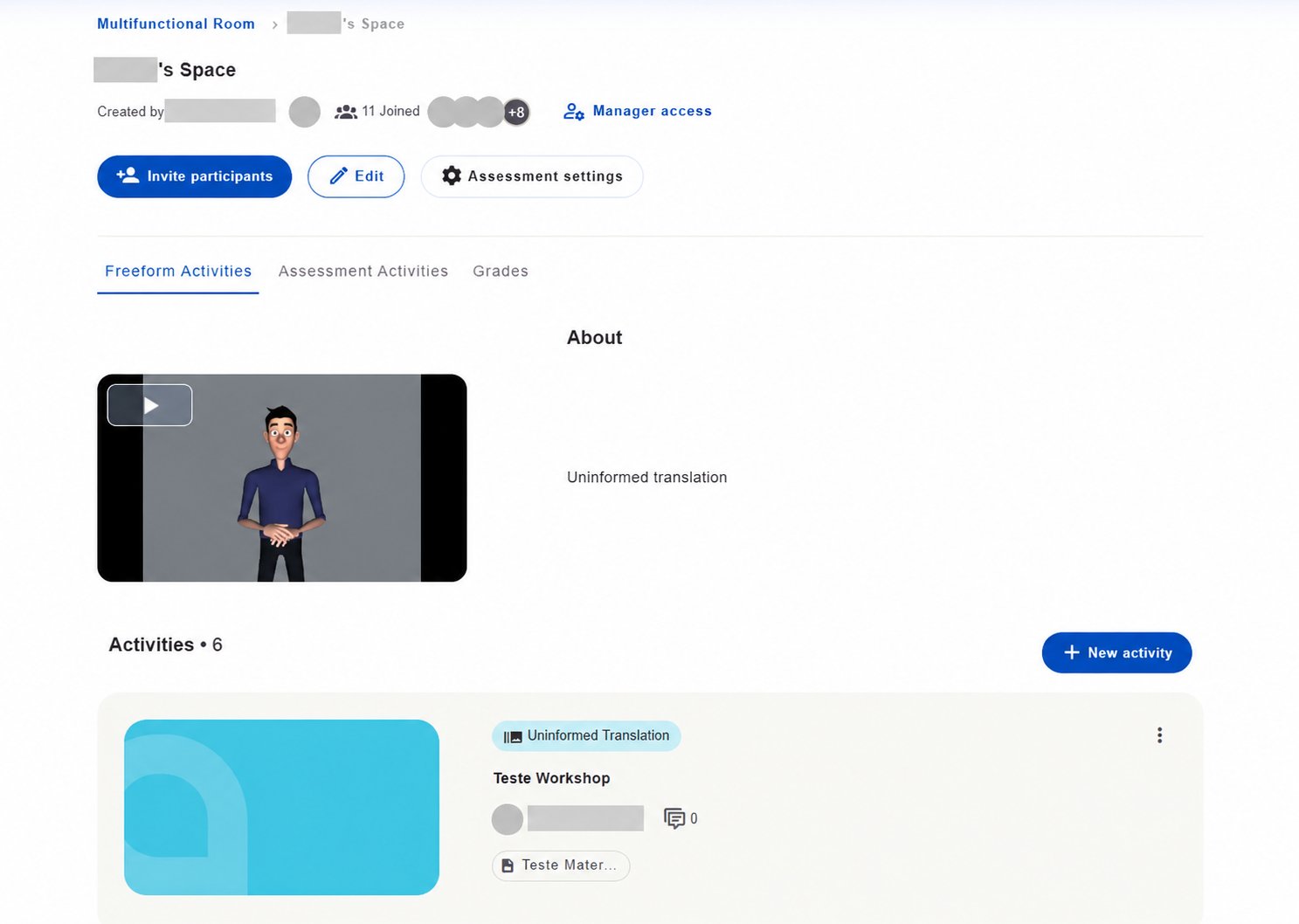 Read each activity's instructions before starting. Its type and settings determine how you participate, submit a response and view results.
## Choose an activity
This documentation is built and hosted on [Mintlify](https://mintlify.com), a developer documentation platform.
Read each activity's instructions before starting. Its type and settings determine how you participate, submit a response and view results.
## Choose an activity
This documentation is built and hosted on [Mintlify](https://mintlify.com), a developer documentation platform.