> ## Documentation Index
> Fetch the complete documentation index at: https://docs-visuolab.levantelab.com.br/llms.txt
> Use this file to discover all available pages before exploring further.
# Discover the Portal
## Explore and share knowledge in sign languages
The Portal is VisuoLab’s digital repository: a collection of educational, informative and entertainment content created and shared by the Deaf community. Find books, articles, videos, presentations and other materials, search by keywords and categories, and save resources for later.
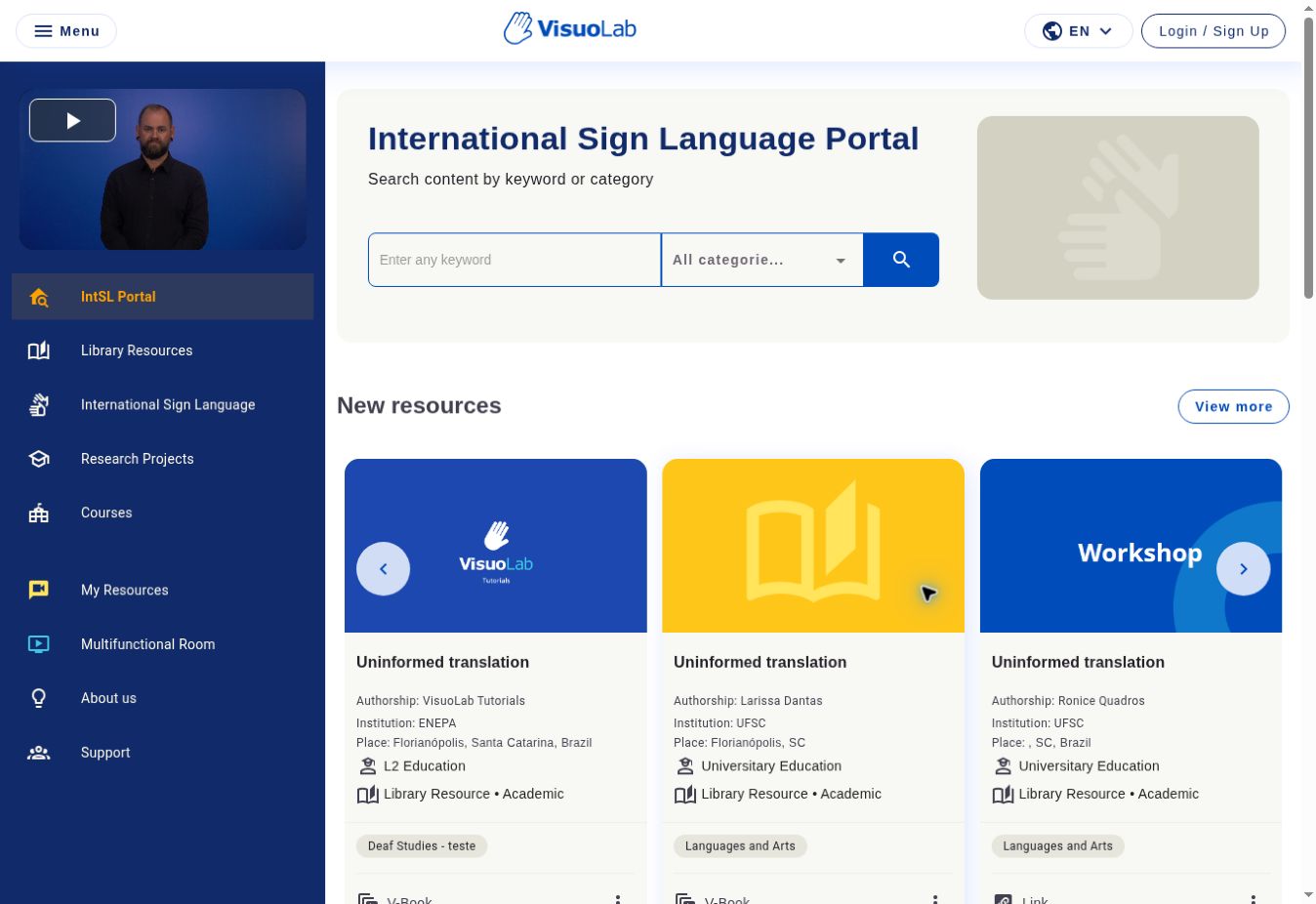 ## Portal and My Resources
The **Portal** brings together published materials. In **My Resources**, you organize your publications, drafts, materials submitted for review and saved resources.
Find resources using keywords, categories and filters.
Access materials, save favorites and discover the available actions.
View Published, Drafts and Saved.
Learn about creating materials and V-Books.
## What content can you find?
* Literary, academic and educational resources.
* Sign language resources.
* Research projects.
* Courses and journal publications, depending on the available categories.
Materials may use different formats and languages. A material’s sign language is independent of the interface language.
## Contribute to the collection
General Users can publish through **Publish new resource**. Upload a file, reference a link or create a **V-Book**, organizing videos, images and text into topics.
[Explore Resource Creation →](/en/resource-creator)
Categories, menu names and available actions may vary by installation and permissions.
This documentation is built and hosted on [Mintlify](https://mintlify.com), a developer documentation platform.
## Portal and My Resources
The **Portal** brings together published materials. In **My Resources**, you organize your publications, drafts, materials submitted for review and saved resources.
Find resources using keywords, categories and filters.
Access materials, save favorites and discover the available actions.
View Published, Drafts and Saved.
Learn about creating materials and V-Books.
## What content can you find?
* Literary, academic and educational resources.
* Sign language resources.
* Research projects.
* Courses and journal publications, depending on the available categories.
Materials may use different formats and languages. A material’s sign language is independent of the interface language.
## Contribute to the collection
General Users can publish through **Publish new resource**. Upload a file, reference a link or create a **V-Book**, organizing videos, images and text into topics.
[Explore Resource Creation →](/en/resource-creator)
Categories, menu names and available actions may vary by installation and permissions.
This documentation is built and hosted on [Mintlify](https://mintlify.com), a developer documentation platform.