> ## Documentation Index
> Fetch the complete documentation index at: https://docs-visuolab.levantelab.com.br/llms.txt
> Use this file to discover all available pages before exploring further.
# Understand the multilingual platform
VisuoLab is **multilingual**: each institution defines the written languages and sign languages available in its installation. It is also **multimodal**: content may combine text, video, images and other formats.
## Four layers to distinguish
| Layer | Example | Where to manage it |
| - | - | - |
| Fixed interface texts | Buttons, menus, field labels and messages | **Static Texts** |
| Database and institutional texts | Categories, educational levels, FAQ and area descriptions | **Object Texts** |
| Sign language translation of the platform | Video explaining an area or an element supported for translation | **Sign Language** |
| User-published content | Text, description and video in a resource | The resource form and content |
**Example:** “Save” is an interface text; “Literature” is a registered option; a video explaining a section is a platform translation; a video inside a V-Book belongs to the published content.
## Written language and sign language
Choosing Portuguese for the interface does not determine the sign language of materials. These are configured separately. The local team decides which versions to offer and organizes review for each.
Enabled languages also let users translate information entered in some forms. This does not mean all published content is translated automatically.
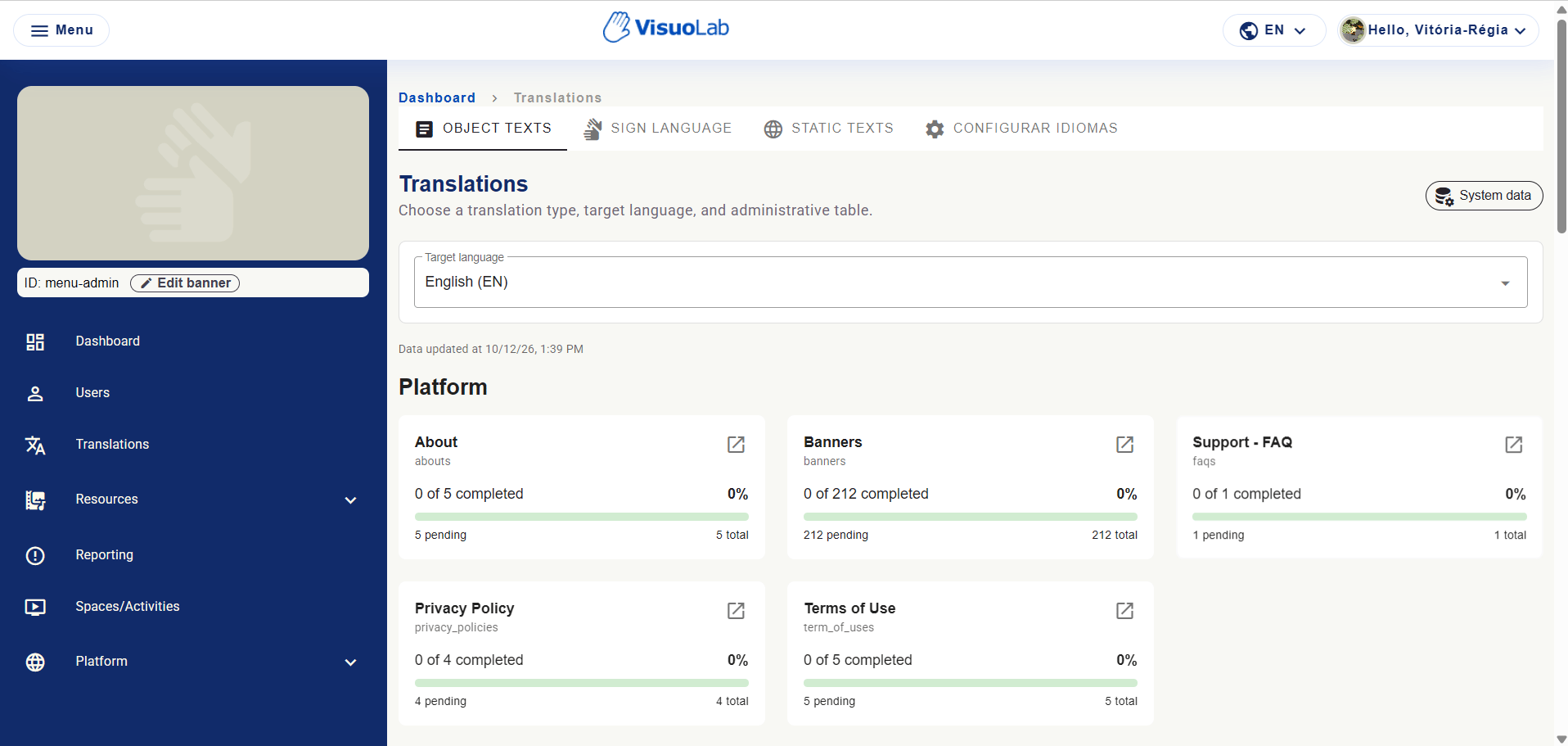
## Discover Translations
| Tab | Purpose |
| - | - |
| **Object Texts** | Translate records organized in tables. |
| **Sign Language** | Associate videos with supported records. |
| **Static Texts** | Review language-key values in the frontend. |
| **Configure languages** | Activate languages and set the default. |
 ## Organize the local team
Define who reviews texts, produces and validates videos, and enters versions in the platform. Record the target language and location of each translation to support checking.
[Configure installation languages →](/en/administration/languages)
This documentation is built and hosted on [Mintlify](https://mintlify.com), a developer documentation platform.
## Organize the local team
Define who reviews texts, produces and validates videos, and enters versions in the platform. Record the target language and location of each translation to support checking.
[Configure installation languages →](/en/administration/languages)
This documentation is built and hosted on [Mintlify](https://mintlify.com), a developer documentation platform.