> ## Documentation Index
> Fetch the complete documentation index at: https://docs-visuolab.levantelab.com.br/llms.txt
> Use this file to discover all available pages before exploring further.
# Institutional content and settings
> Maintain institutional content, documents, visual identity, storage and records.
**Platform** brings together content introducing and explaining VisuoLab, institutional documents, visual identity materials and operational settings. It also lets you maintain form and other platform records within your permissions.
## Maintain institutional content
In **Platform → Settings**, locate the area to consult or update.
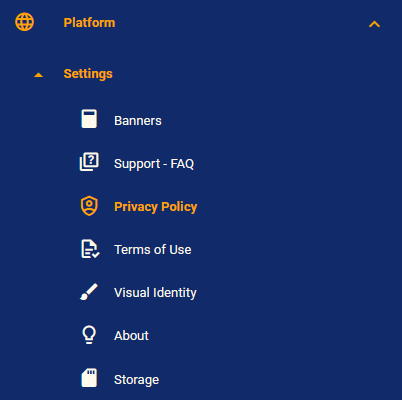 | Area | What managers can monitor or maintain |
| - | - |
| **Banners** | Texts and videos introducing pages, sections and tools. Locate banners by ID, title, location and status. |
| **Support - FAQ** | Questions and answers addressing users' platform doubts. |
| **About** | Content introducing VisuoLab and the institution. |
Use each screen's search, filters and actions. Check the record and its location before editing.
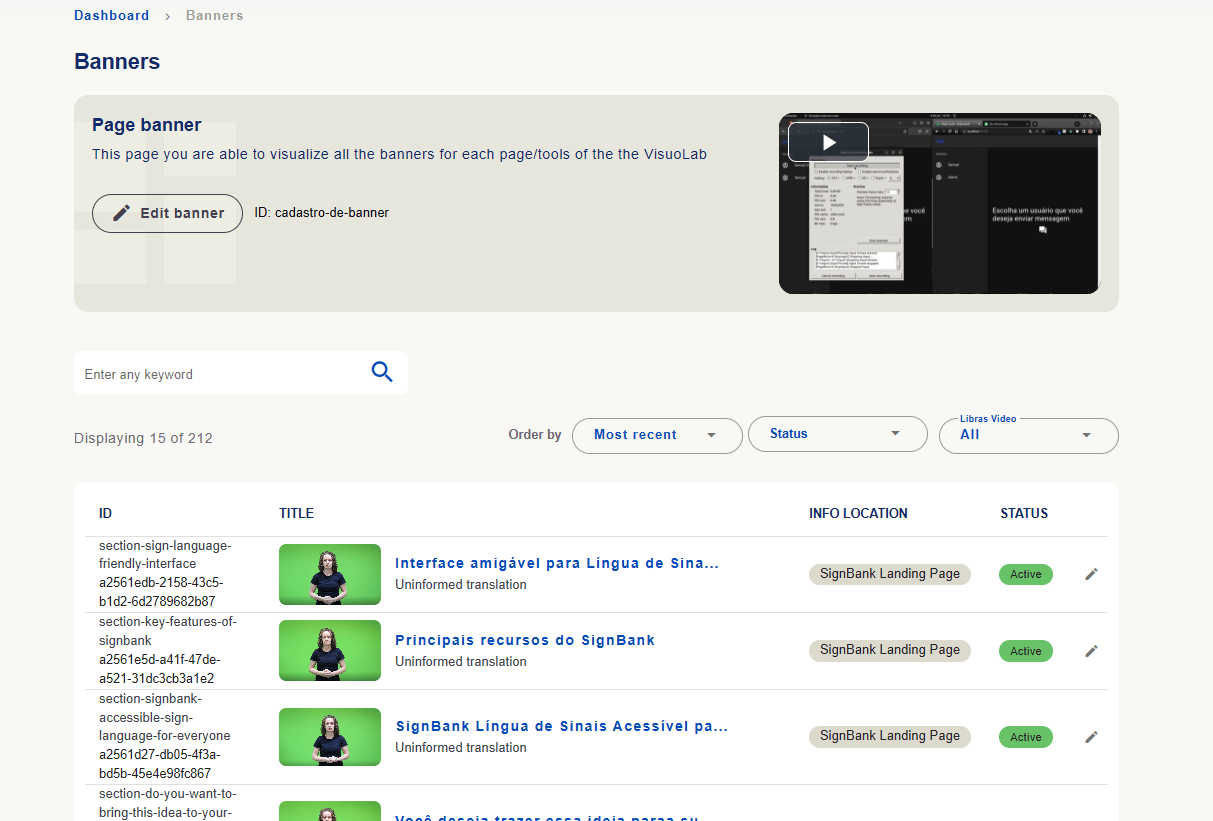
**Banners:** the list shows ID, title, **Info location** and status. Search, sorting and filters help find the banner. Locations and counts are installation examples.
| Area | What managers can monitor or maintain |
| - | - |
| **Banners** | Texts and videos introducing pages, sections and tools. Locate banners by ID, title, location and status. |
| **Support - FAQ** | Questions and answers addressing users' platform doubts. |
| **About** | Content introducing VisuoLab and the institution. |
Use each screen's search, filters and actions. Check the record and its location before editing.
**Banners:** the list shows ID, title, **Info location** and status. Search, sorting and filters help find the banner. Locations and counts are installation examples.
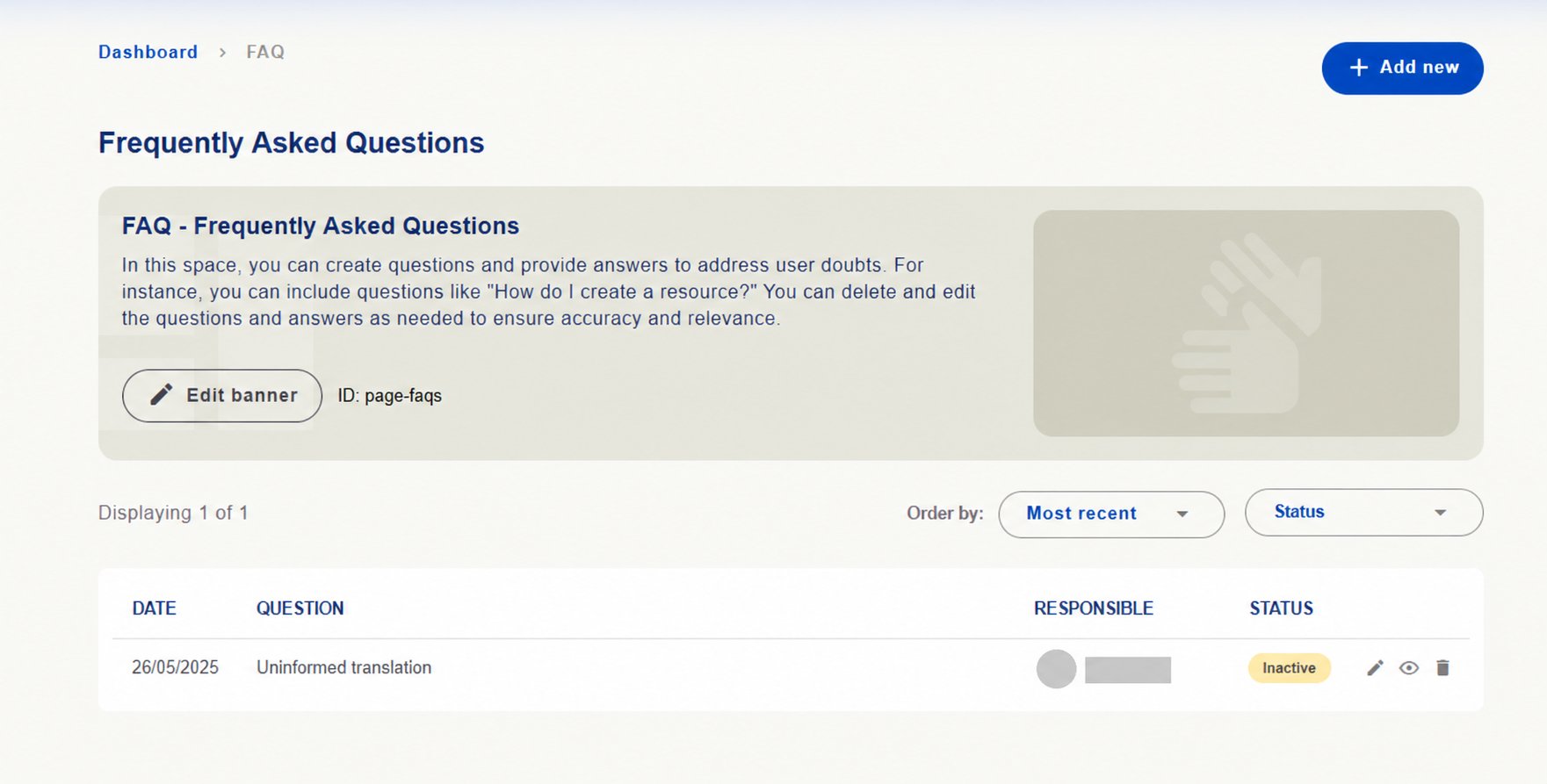
 **FAQ:** add useful questions and answers and review existing ones to keep guidance current. The screen offers **Add new**, sorting, status and edit, view and delete actions.
 **About:** maintain texts introducing the platform and institution. Check titles, descriptions, status and actions.
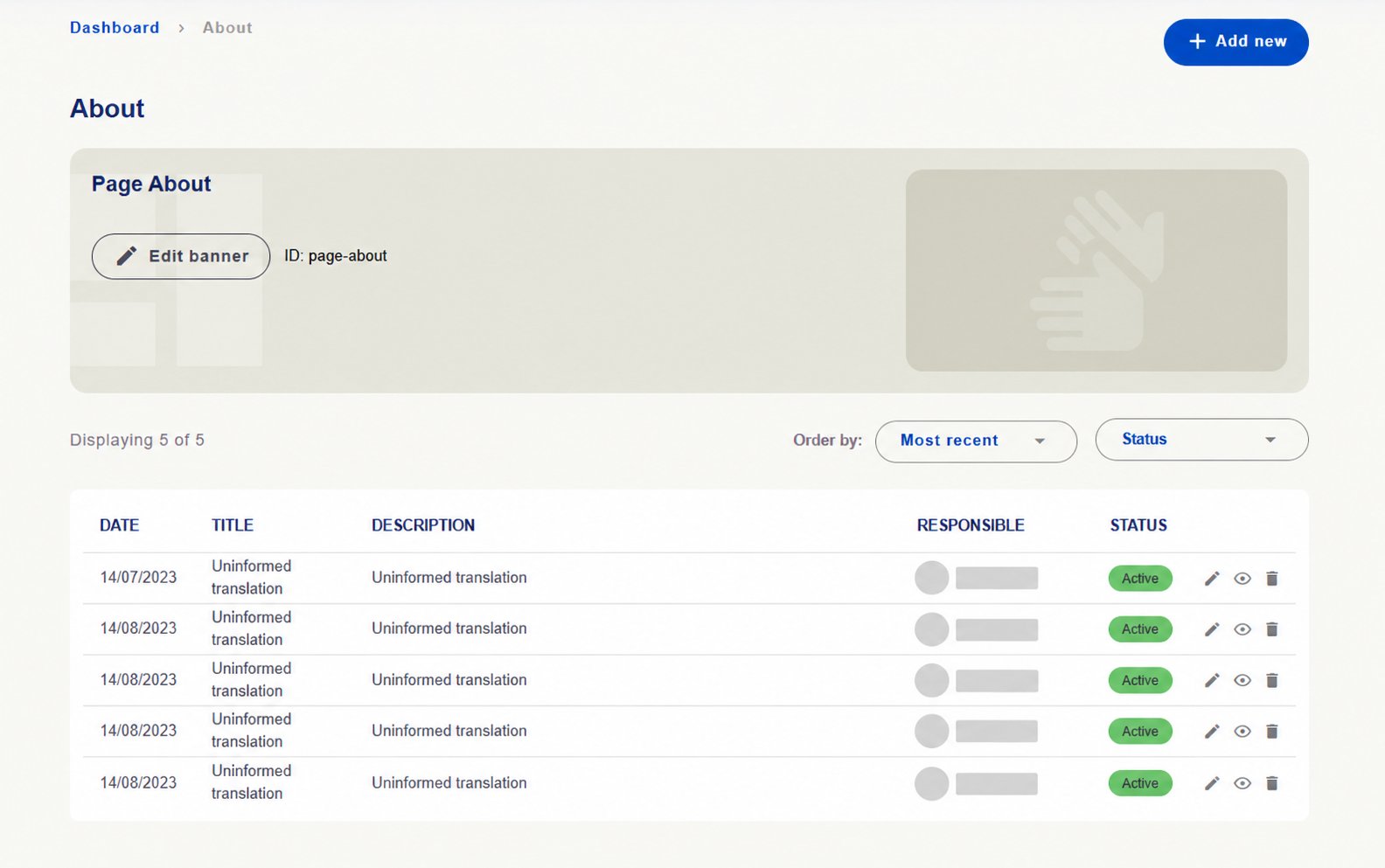 **Uninformed translation** indicates a translation not yet filled in on the captured installation.
Banner videos help explain areas' context and operation. [See how to locate and add sign language videos →](/en/administration/sign-language)
## Manage platform use documents
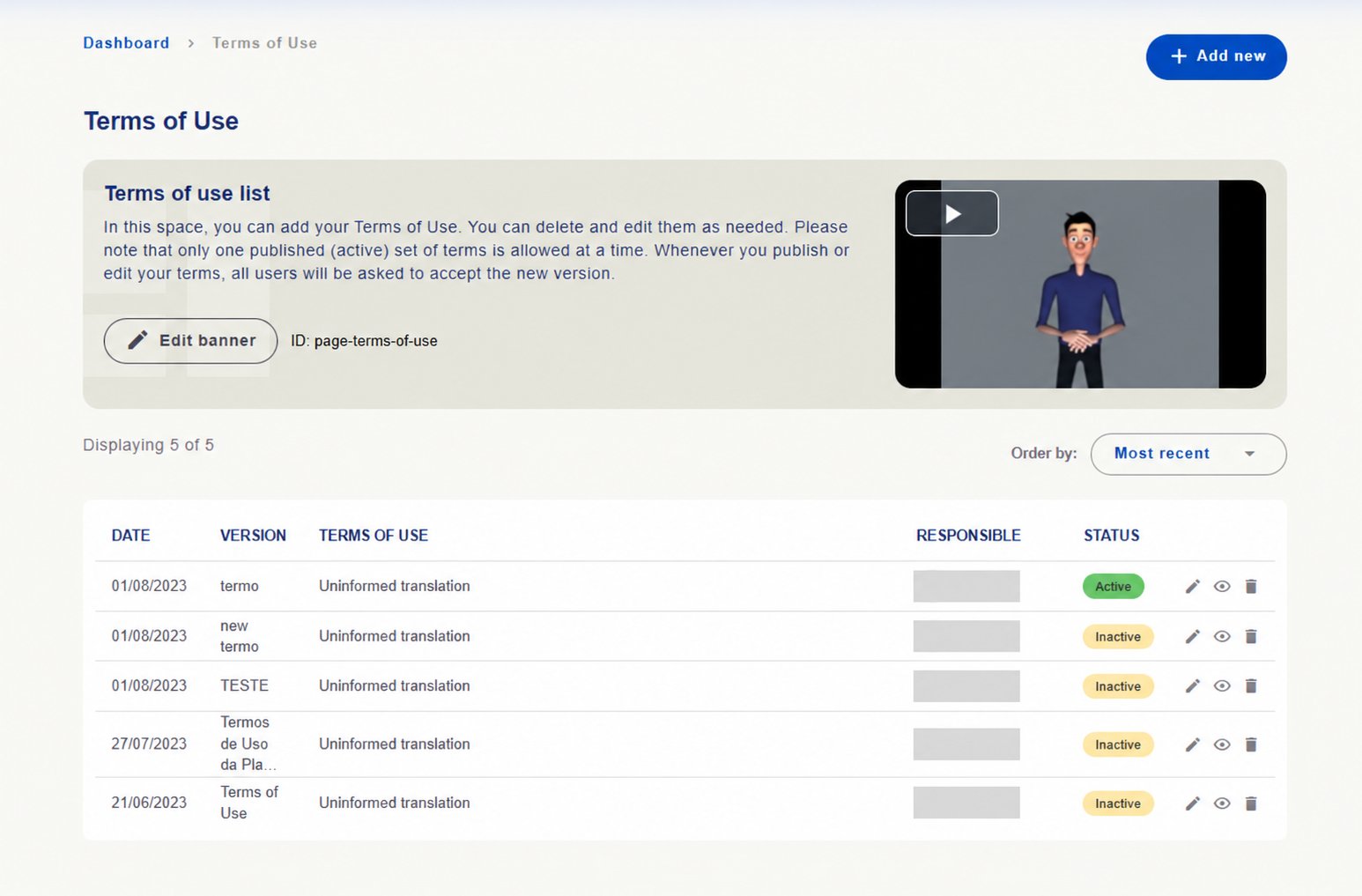
In **Privacy Policy** and **Terms of Use**, consult registered versions and options to add, edit and view documents.
Screen guidance states that **only one version of each document can be active at a time**, and publishing or editing requests users' acceptance of the new version.
Check version identification, content, status and actions before updating.
**Uninformed translation** indicates a translation not yet filled in on the captured installation.
Banner videos help explain areas' context and operation. [See how to locate and add sign language videos →](/en/administration/sign-language)
## Manage platform use documents
In **Privacy Policy** and **Terms of Use**, consult registered versions and options to add, edit and view documents.
Screen guidance states that **only one version of each document can be active at a time**, and publishing or editing requests users' acceptance of the new version.
Check version identification, content, status and actions before updating.
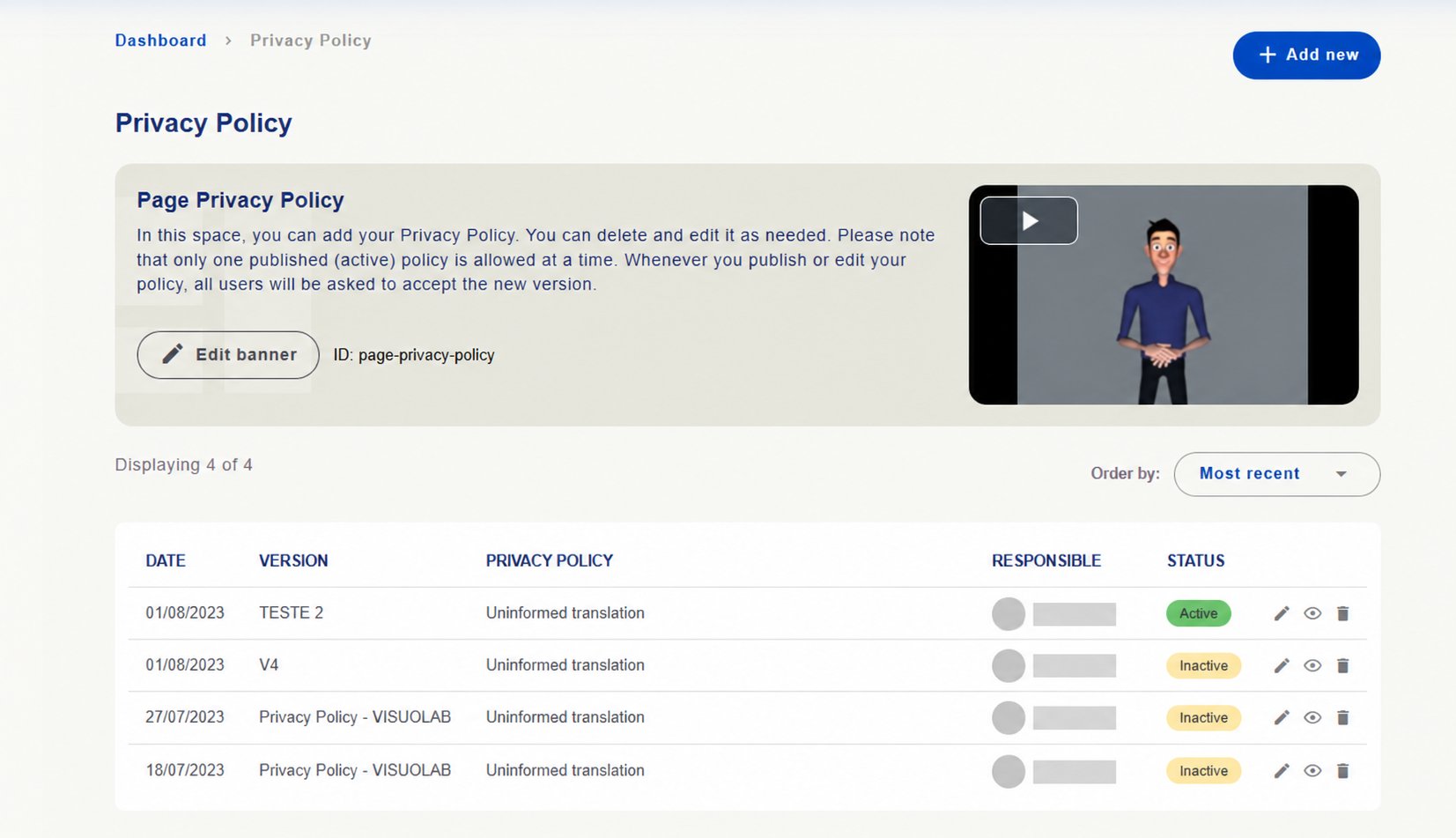 Consult versions and maintain the document governing installation use.
 ## Consult visual identity and storage
**Visual Identity**
This area provides materials for consistent VisuoLab communication.
Consult brand versions for different uses and obtain available files with **Download**.
## Consult visual identity and storage
**Visual Identity**
This area provides materials for consistent VisuoLab communication.
Consult brand versions for different uses and obtain available files with **Download**.
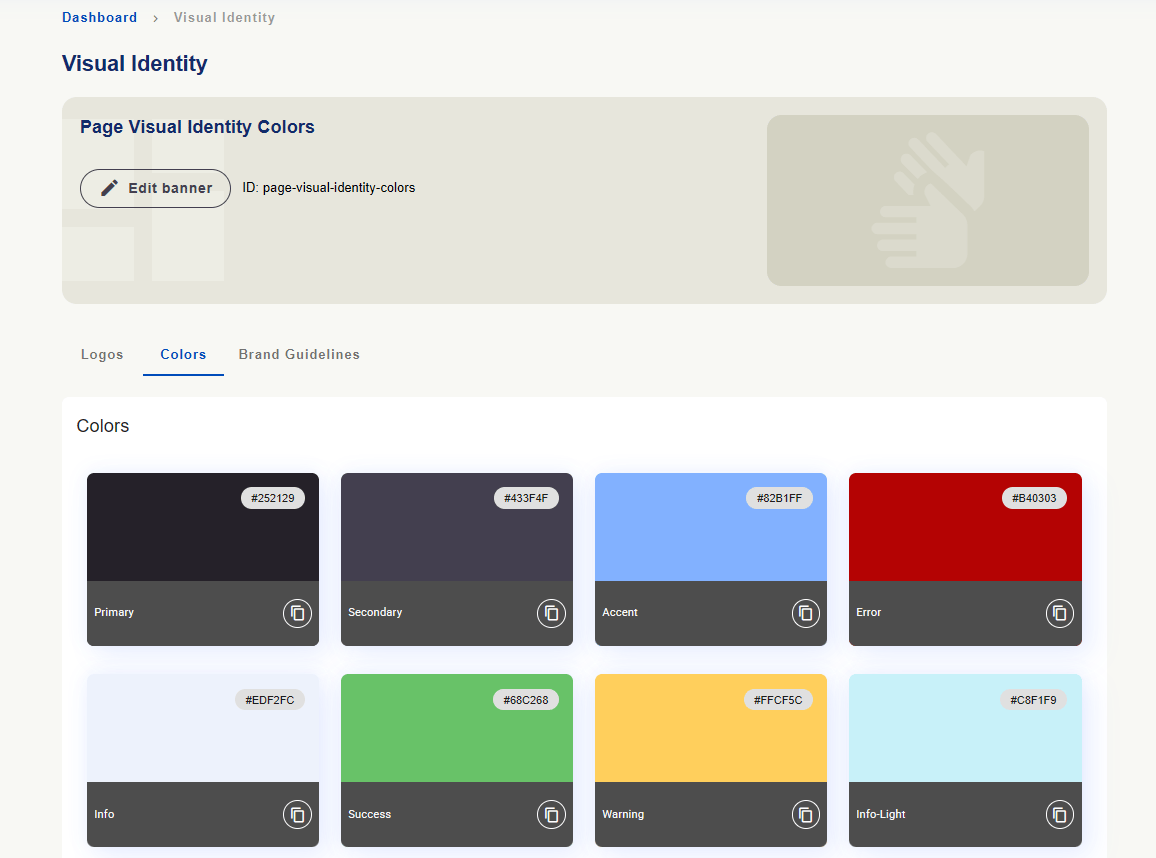
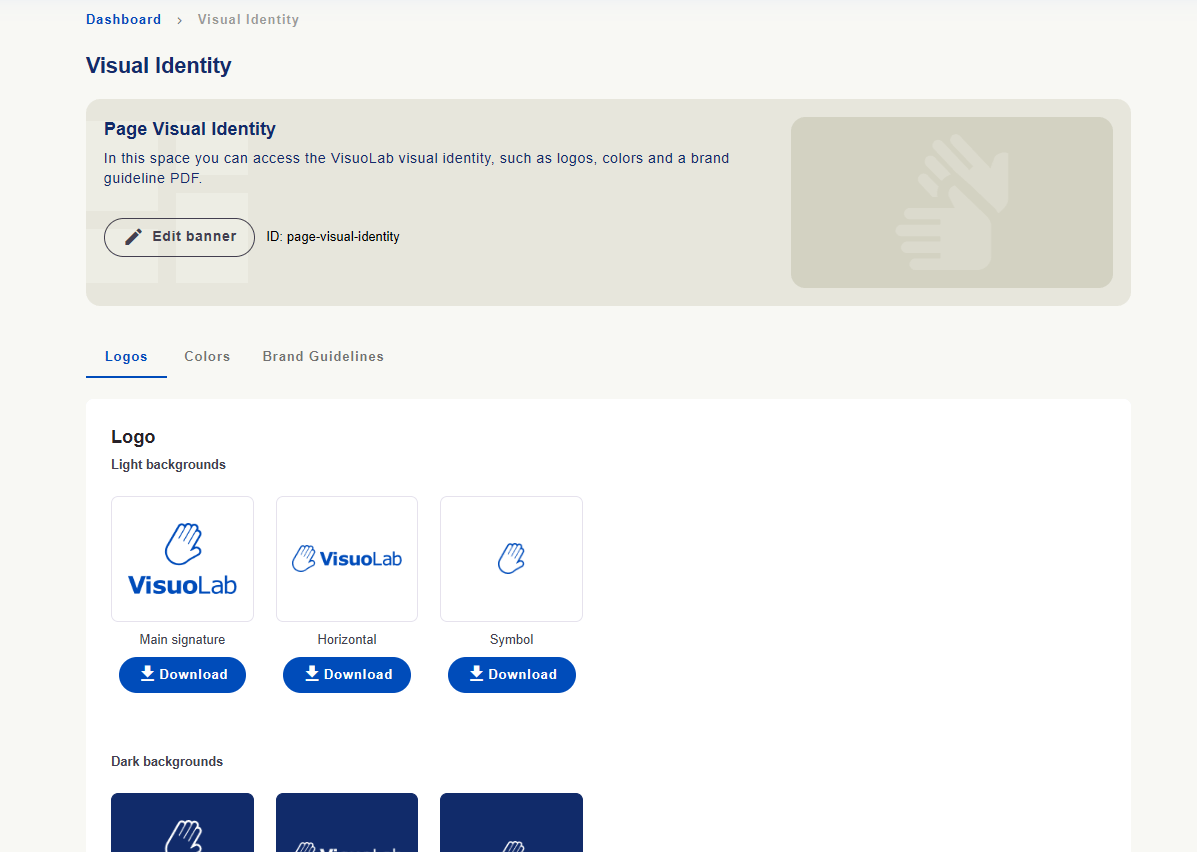 Consult colors and codes. Copy icons help use these values in communication materials.
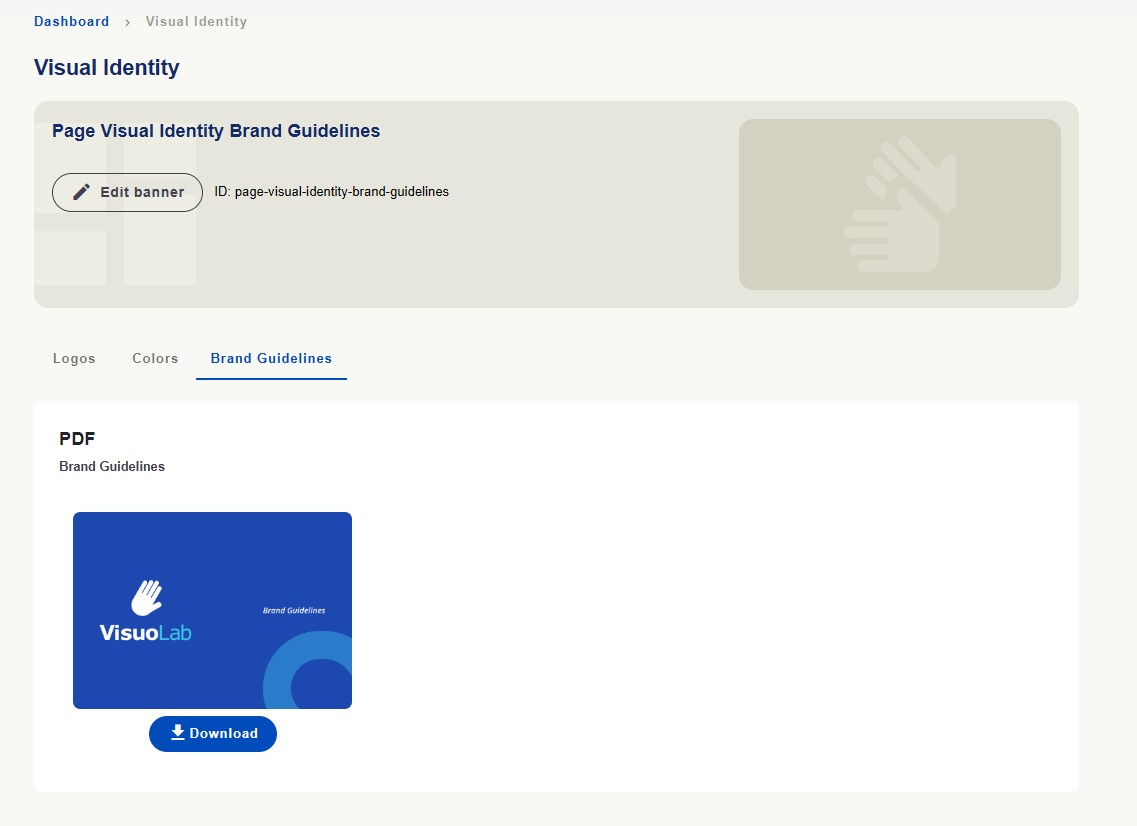
 In **Brand Guidelines**, download the brand manual PDF using **Download**.
 **Storage**
In the screen shown, **Storage** lets you consult and edit the expiration period of videos uploaded as comments in Multifunctional Room Spaces and activities.
**Storage**
In the screen shown, **Storage** lets you consult and edit the expiration period of videos uploaded as comments in Multifunctional Room Spaces and activities.
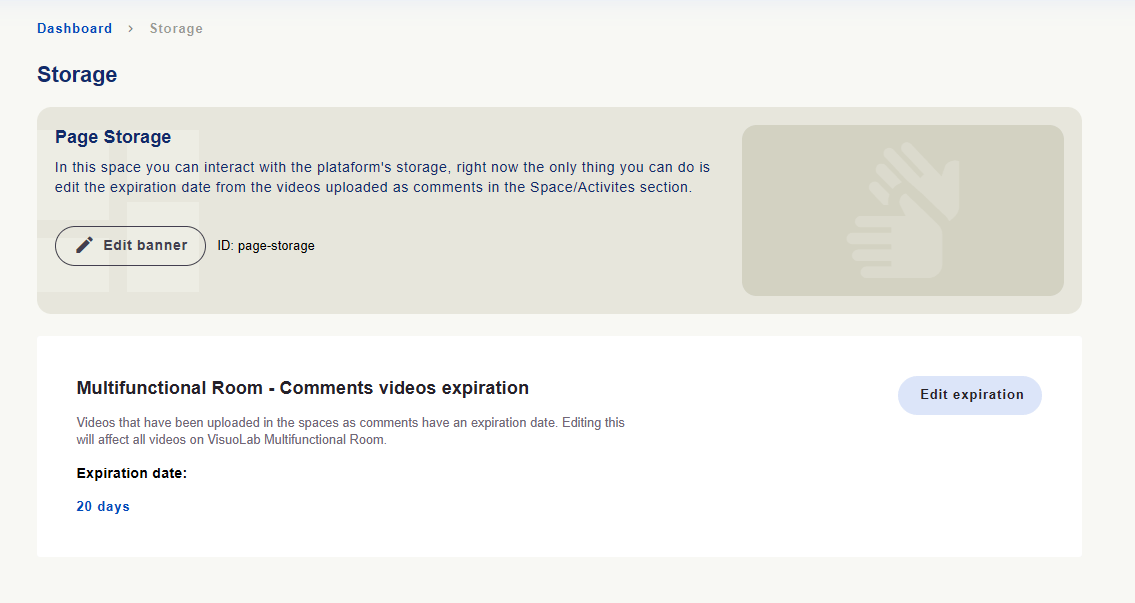 Use **Edit expiration** to open the period field in days. The setting applies across Multifunctional Room comment videos. Consider this scope before changing it.
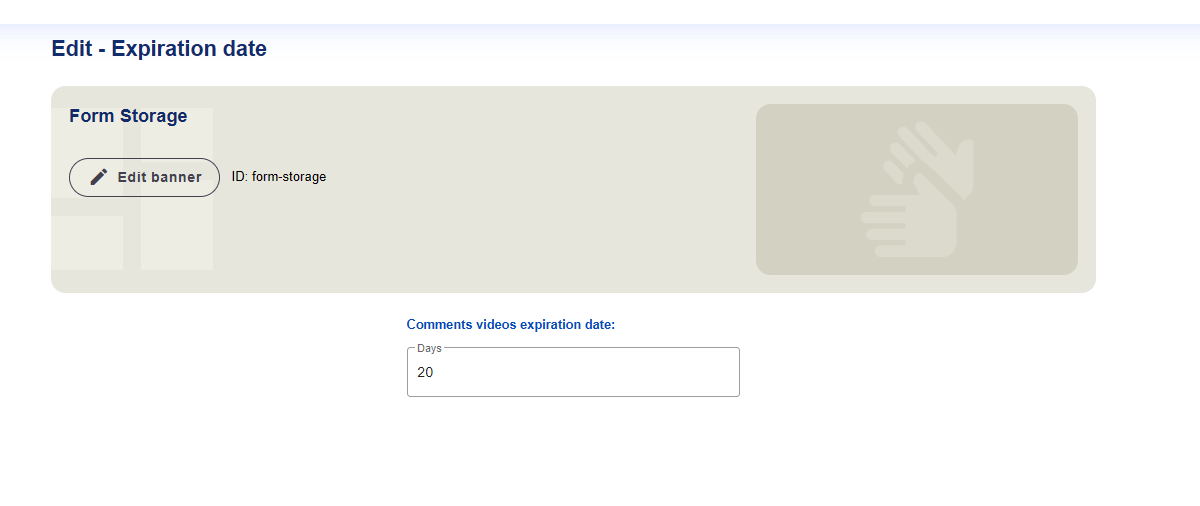 The displayed **20 days** are an installation example.
## Maintain platform records
In **Platform Forms**, consult and edit records used in forms and platform organization within your permissions.
The displayed **20 days** are an installation example.
## Maintain platform records
In **Platform Forms**, consult and edit records used in forms and platform organization within your permissions.
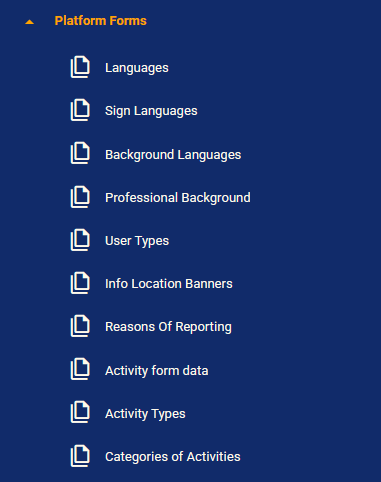 | Group | Records shown |
| - | - |
| **Languages** | Written languages and sign languages. |
| **User information** | Linguistic background, professional background and user types. |
| **Organization and support** | Banner locations and report reasons. |
| **Activities** | Form data, activity types and categories. |
**Languages** lists written language records with code, name and default indication.
| Group | Records shown |
| - | - |
| **Languages** | Written languages and sign languages. |
| **User information** | Linguistic background, professional background and user types. |
| **Organization and support** | Banner locations and report reasons. |
| **Activities** | Form data, activity types and categories. |
**Languages** lists written language records with code, name and default indication.
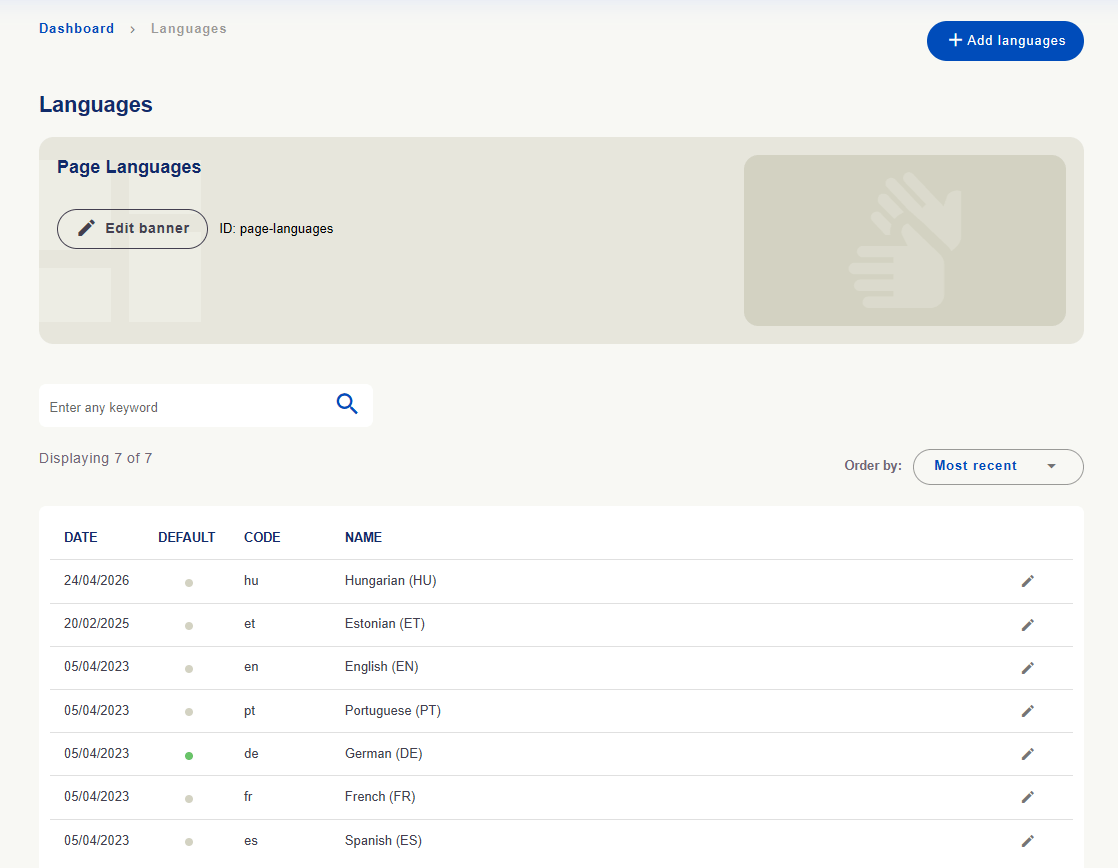 **Sign Languages** lists sign language records with code, acronym, name and default indication.
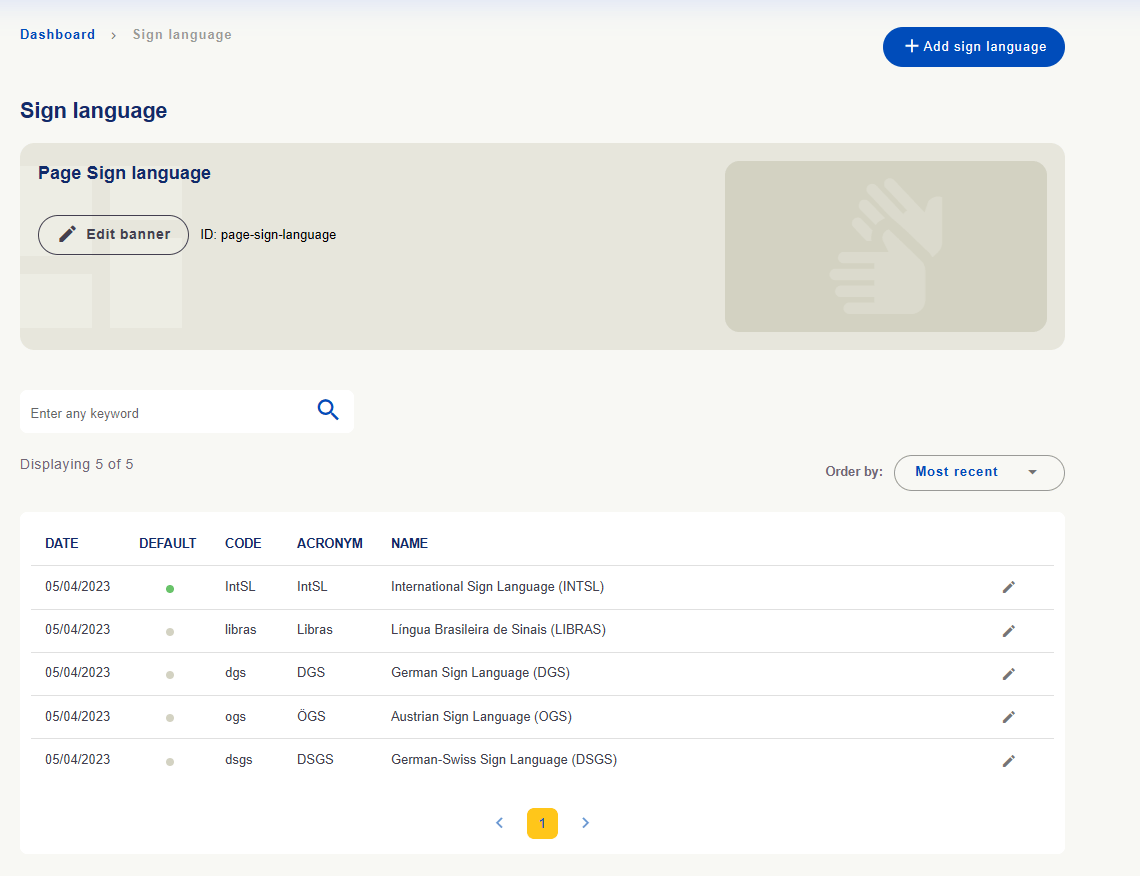 **Registering a language does not make all translations available.** Check activation and versions in language and translation areas. Languages and defaults shown are installation examples.
[See how to configure languages →](/en/administration/languages)
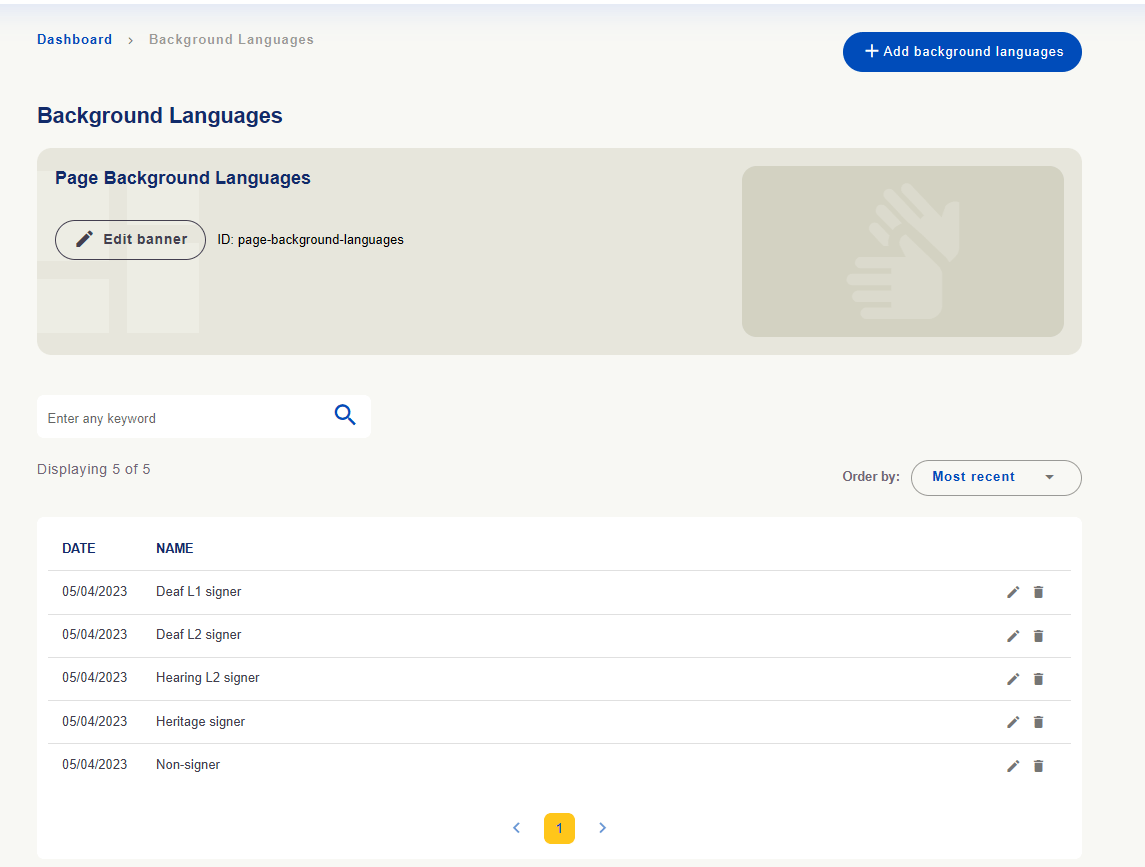
**Background Languages** contains linguistic background options for user registration, such as L1, L2 and heritage signers.
**Registering a language does not make all translations available.** Check activation and versions in language and translation areas. Languages and defaults shown are installation examples.
[See how to configure languages →](/en/administration/languages)
**Background Languages** contains linguistic background options for user registration, such as L1, L2 and heritage signers.
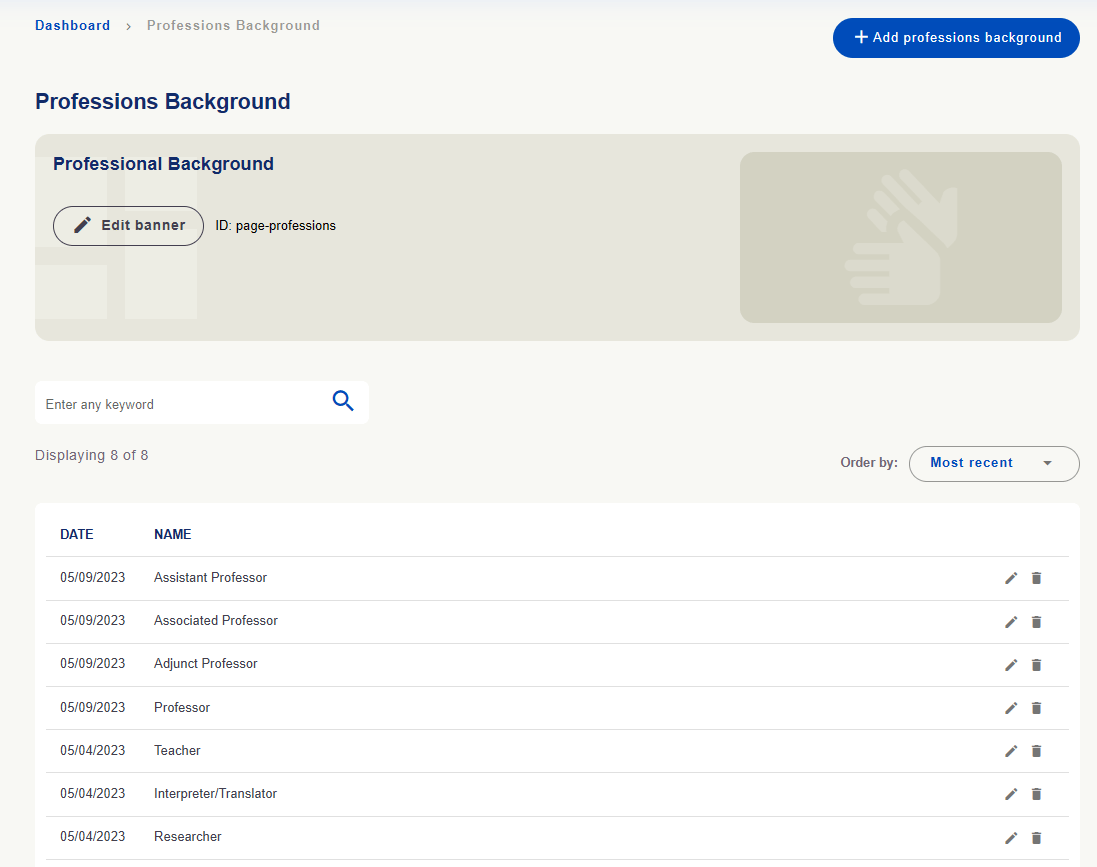
 **Professional Background** includes education or professional roles such as teacher, translator/interpreter and researcher.
 **User Types** shows recognized user types with names and **slug** identifiers.
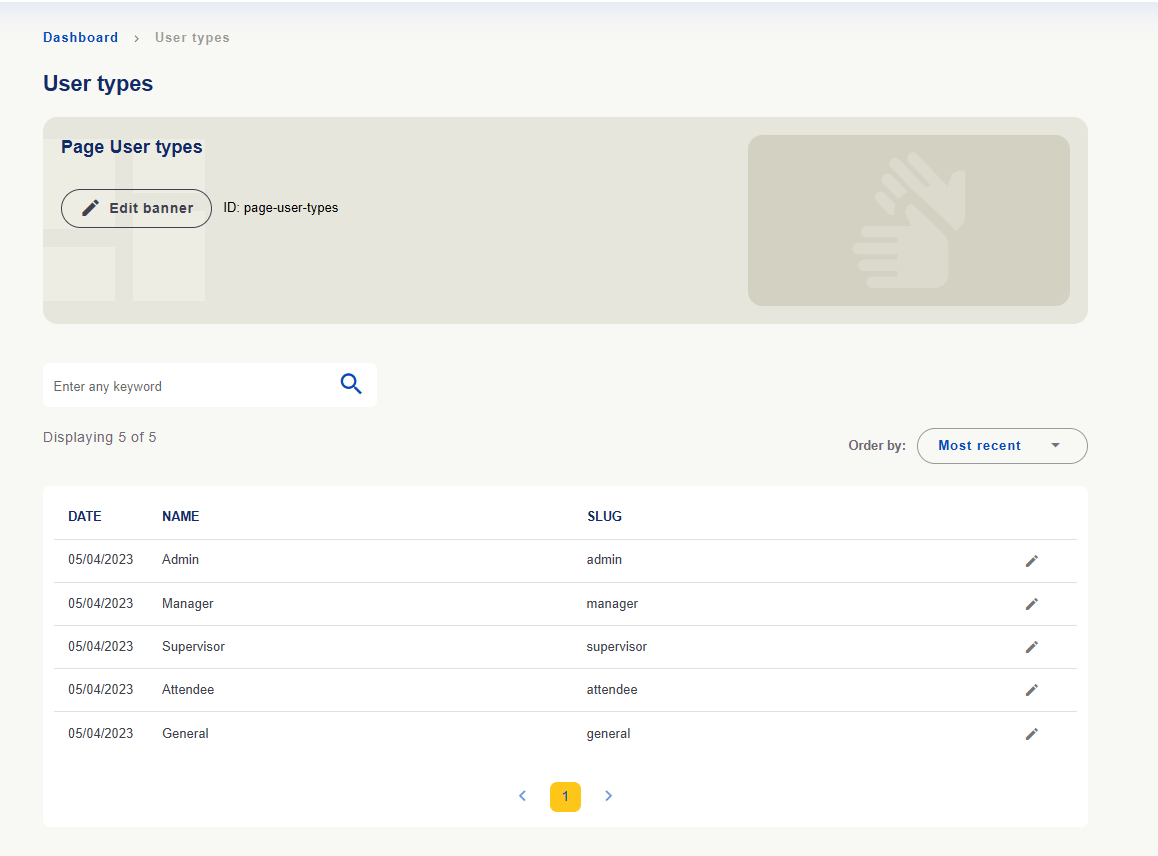 **Editing user type records does not grant permission to a person.** Access is managed in **Users**.
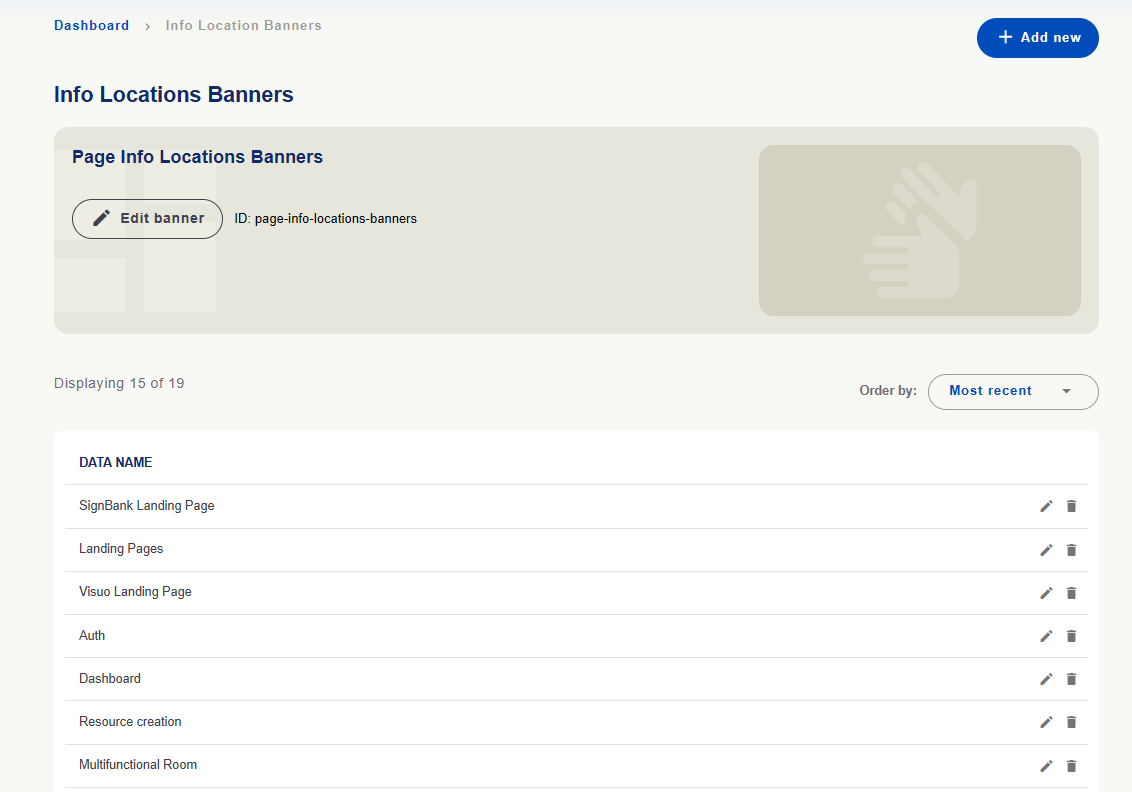
**Info Location Banners** maintains location records identifying where banners relate to the platform.
**Editing user type records does not grant permission to a person.** Access is managed in **Users**.
**Info Location Banners** maintains location records identifying where banners relate to the platform.
 **Reasons of Reporting** maintains reasons available when submitting reports. **Type** distinguishes resource and user reasons.
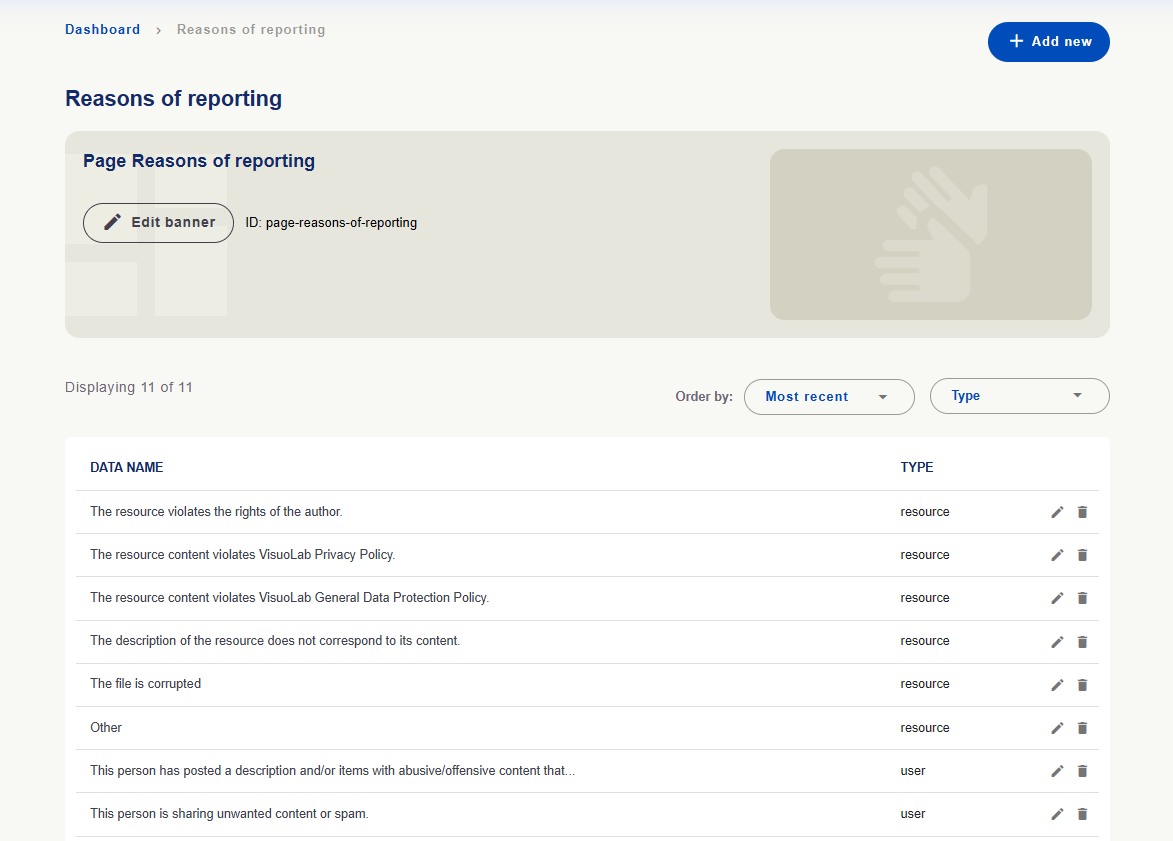 Review these options and translations for clarity so users can identify the right reason.
These areas maintain records organizing activities and supplying form options.
| Area | Purpose |
| - | - |
| **Activity Types** | Consult recognized types, their relationships and assessment-use indication. |
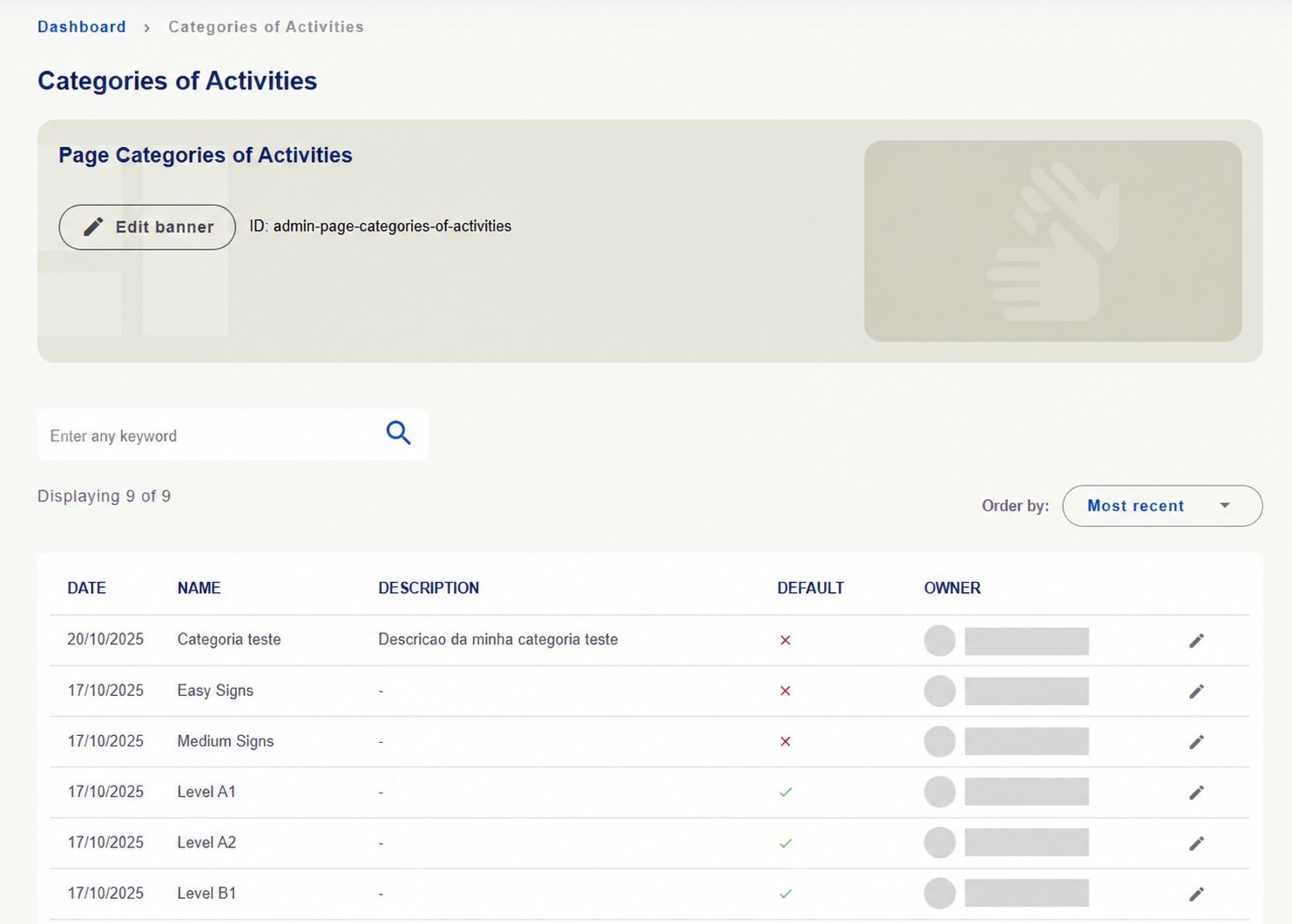
| **Categories of Activities** | Organize activity categories, with name, description, default indication and owner when specified. |
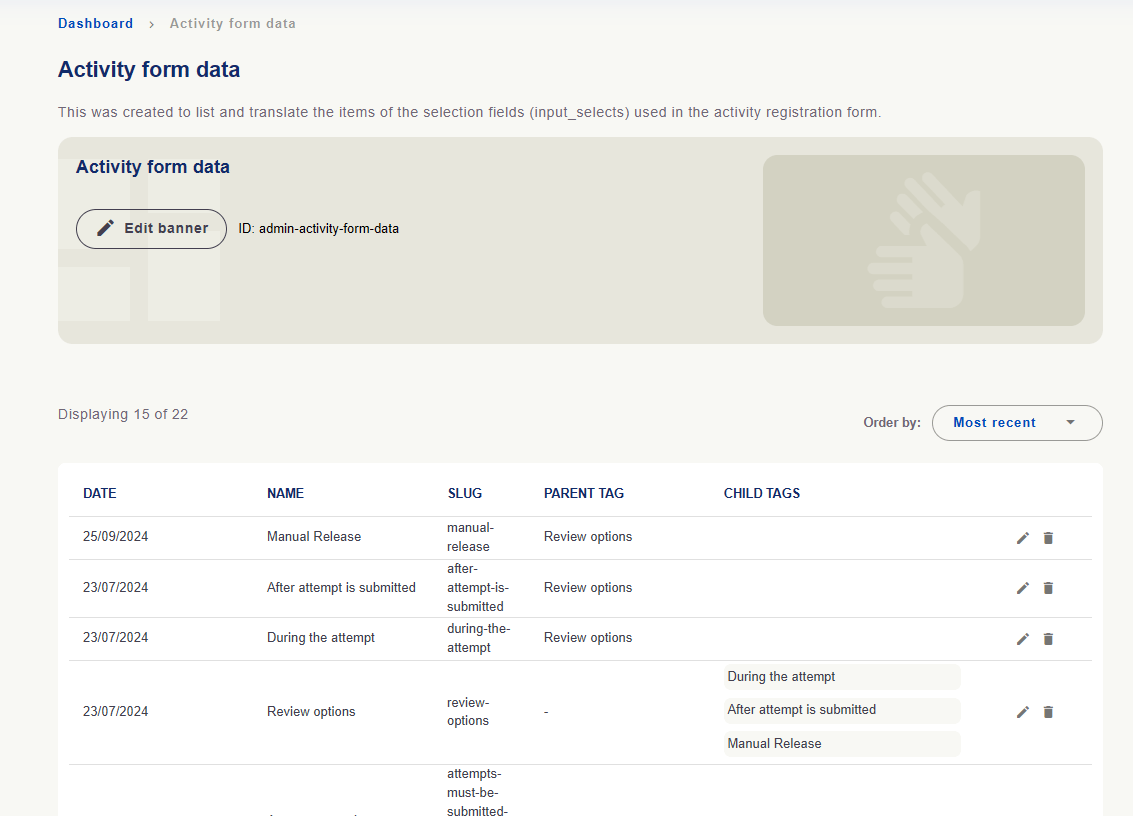
| **Activity form data** | Maintain activity registration select-field items and relationships between parent and child options. |
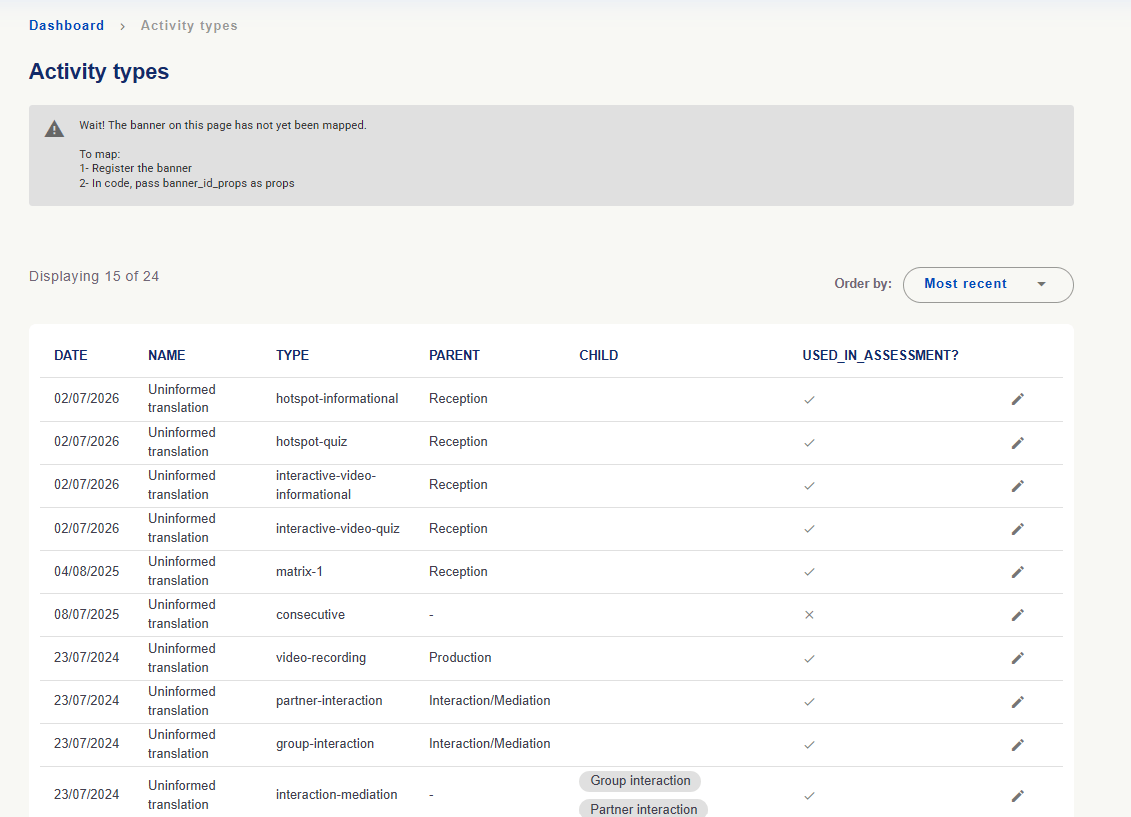
**Activity Types:** check **Type** for the type identifier, **Parent** and **Child** for relationships and **Used in assessment?** for assessment use. Editing concerns records; adding or changing a name does not create a new activity feature.
Review these options and translations for clarity so users can identify the right reason.
These areas maintain records organizing activities and supplying form options.
| Area | Purpose |
| - | - |
| **Activity Types** | Consult recognized types, their relationships and assessment-use indication. |
| **Categories of Activities** | Organize activity categories, with name, description, default indication and owner when specified. |
| **Activity form data** | Maintain activity registration select-field items and relationships between parent and child options. |
**Activity Types:** check **Type** for the type identifier, **Parent** and **Child** for relationships and **Used in assessment?** for assessment use. Editing concerns records; adding or changing a name does not create a new activity feature.
 **Categories of Activities:** consult name, description and default indication. Check installation options before editing.
 **Activity form data:** consult select-field options and their relationships. **Review options** includes **During the attempt**, **After attempt is submitted** and **Manual Release** in the example.
 **These lists configure records used by activities; they are not the activities created in Spaces.** To monitor those activities, use **Spaces/Activities → Activities**.
**After changing content or records, review versions in enabled languages.** Check texts in **Object Texts** and videos in **Sign Language**, where applicable, and verify the result on the platform.
These screenshots are installation examples. Counts, options and permissions may vary; personal details have been hidden where owners are shown.
[See how to translate forms and institutional content →](/en/administration/object-texts)
[Back to the daily management overview →](/en/administration/daily-management)
This documentation is built and hosted on [Mintlify](https://mintlify.com), a developer documentation platform.
**These lists configure records used by activities; they are not the activities created in Spaces.** To monitor those activities, use **Spaces/Activities → Activities**.
**After changing content or records, review versions in enabled languages.** Check texts in **Object Texts** and videos in **Sign Language**, where applicable, and verify the result on the platform.
These screenshots are installation examples. Counts, options and permissions may vary; personal details have been hidden where owners are shown.
[See how to translate forms and institutional content →](/en/administration/object-texts)
[Back to the daily management overview →](/en/administration/daily-management)
This documentation is built and hosted on [Mintlify](https://mintlify.com), a developer documentation platform.